giffgaff is a UK-based mobile virtual network operator (MVNO) that provides its service over O2's UK network. It was founded in 2009. The name giffgaff comes from Scots and means "mutual giving".
giffgaff offers both physical SIM cards and eSIM.
Features
Roaming worldwide, on a native UK IP. In China it roams on China Mobile or China Unicom, on 2G, 3G, 4G and 5G networks.
No real-name registration.
A plan with no monthly fee.
The official website can be reached directly from most of mainland China, so activation, top-ups, SIM replacement, number changes and switching between eSIM and physical SIM can all be done online.
Not a virtual number.
What it is for
That depends on the person; most people use it to sign up for international services.
Rates
giffgaff plans can only be used inside the UK, not outside it. giffgaff offers a Pay as you go option with no monthly fee.
Using giffgaff outside the UK is roaming, and roaming rates differ by region. Look them up at Roaming with giffgaff. Here is a snapshot of the roaming rates for China as of 29 May 2024:
Item / rate: Data 20p per MB. Calls and voicemail (charged per second after the first 30 seconds) £1 per minute. Receiving calls (charged per minute) £1 per minute. Sending a text 30p each. Receiving a text: free. Sending a picture message (MMS) to a UK/EU mobile 30p each. Sending a picture message (MMS) to any other mobile 24p each.
£ is the pound and p is the penny; £1 equals 100p.
How to get one
A giffgaff SIM can be requested for free on the official website, but it may be stopped by customs, it is quite likely to be lost even after customs, and it takes a long time to arrive. So it is better to buy one on Taobao or a similar platform, or through another channel.
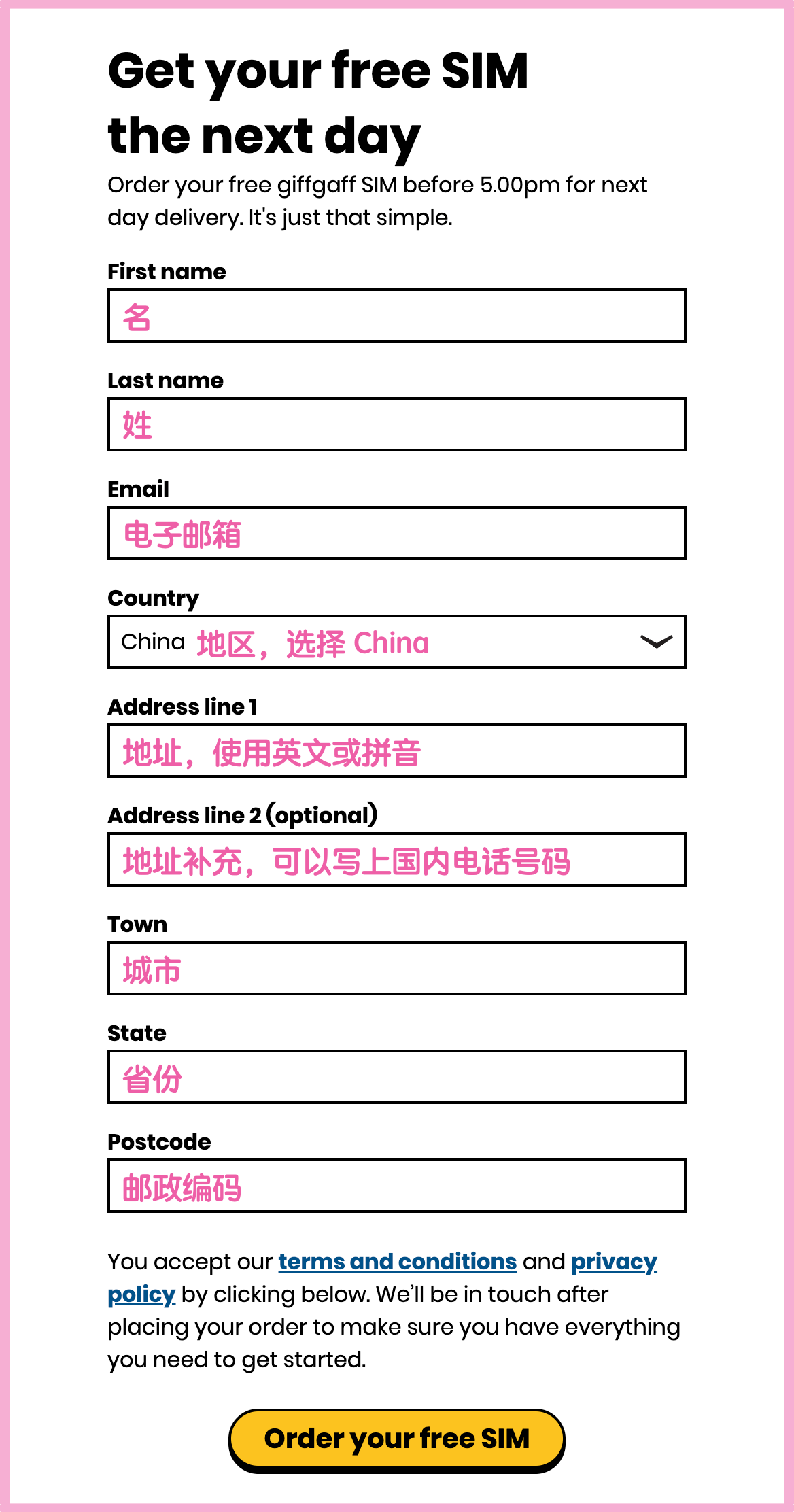
If you still want to get a giffgaff SIM through the official channel, you can use my invitation link. After your first top-up you get an extra £5. Fill in the order as shown below; none of your details are shared with me:
Activation
Before you start, read the Things to watch out for section carefully so you know what to do after activation and avoid unnecessary losses.
Before you begin
Activating a giffgaff SIM involves topping up, which needs a Mastercard or VISA credit card. If you do not have one, you can buy a giffgaff top-up voucher on Taobao or a similar platform.
Create an account
First register an account at https://www.giffgaff.com/auth/register.
Activate on the web
https://bx7h0mz5l4n.feishu.cn/wiki/WnM2wvDoMiBqwmkR7rKc0YbQnwE
Insert the SIM and switch on
A signal usually appears 1 to 15 minutes after inserting the SIM.
Things to watch out for
Read this section carefully to avoid unnecessary losses.
Keeping the number
Important
If a SIM has not been used in the past 6 months, it is deactivated and giffgaff takes the phone number back. See Why is my phone number deactivated?
In China, the cheapest way to keep the SIM active is to send one text every 6 months, to a phone number in China or abroad. If you do not know who to text, send it to +44 7973000186, the customer service number of CMLink; enter 0044 7973000186 as the recipient.
Tip
The format for sending texts and making calls is
country code phone number. For example, to a mainland China mobile number it is0086 1xxxxxxxxxx, and to a UK number it is0044 7xxxxxxxxx.
Topping up is another way to keep the SIM active. "Airtime Credit" in the help pages means topped-up credit.
After each action the keep-alive period starts again. giffgaff sends a reminder email 35 days and 5 days before the period ends. Act before the second reminder (around day 170), so that if it does not work there is still one more email to remind you.
Note
If you see an expiry notice for free giffgaff to giffgaff calls and texts on the website, in the app or by text, ignore it. It has nothing to do with keeping the number; see the related question.
Unexpected charges
These things can drain your credit for no reason. Every user should deal with them.
Data
Because giffgaff data roaming is very expensive (see the Rates section), turn off mobile data and/or data roaming for the giffgaff SIM so that you are not charged for using giffgaff data by accident.
Call forwarding
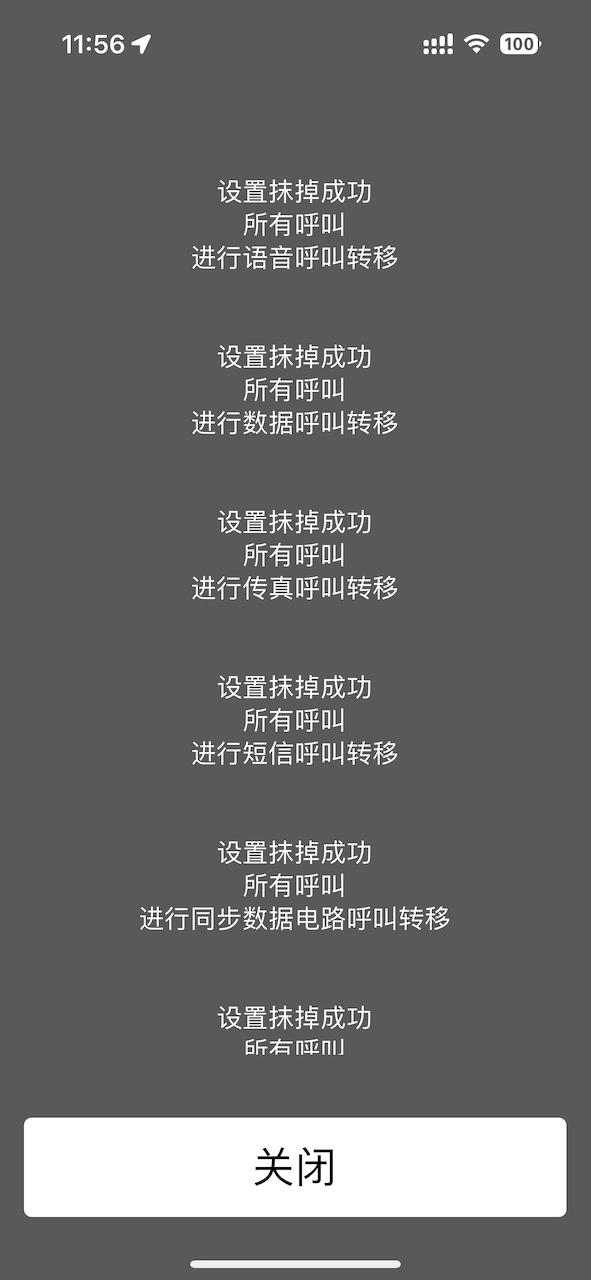
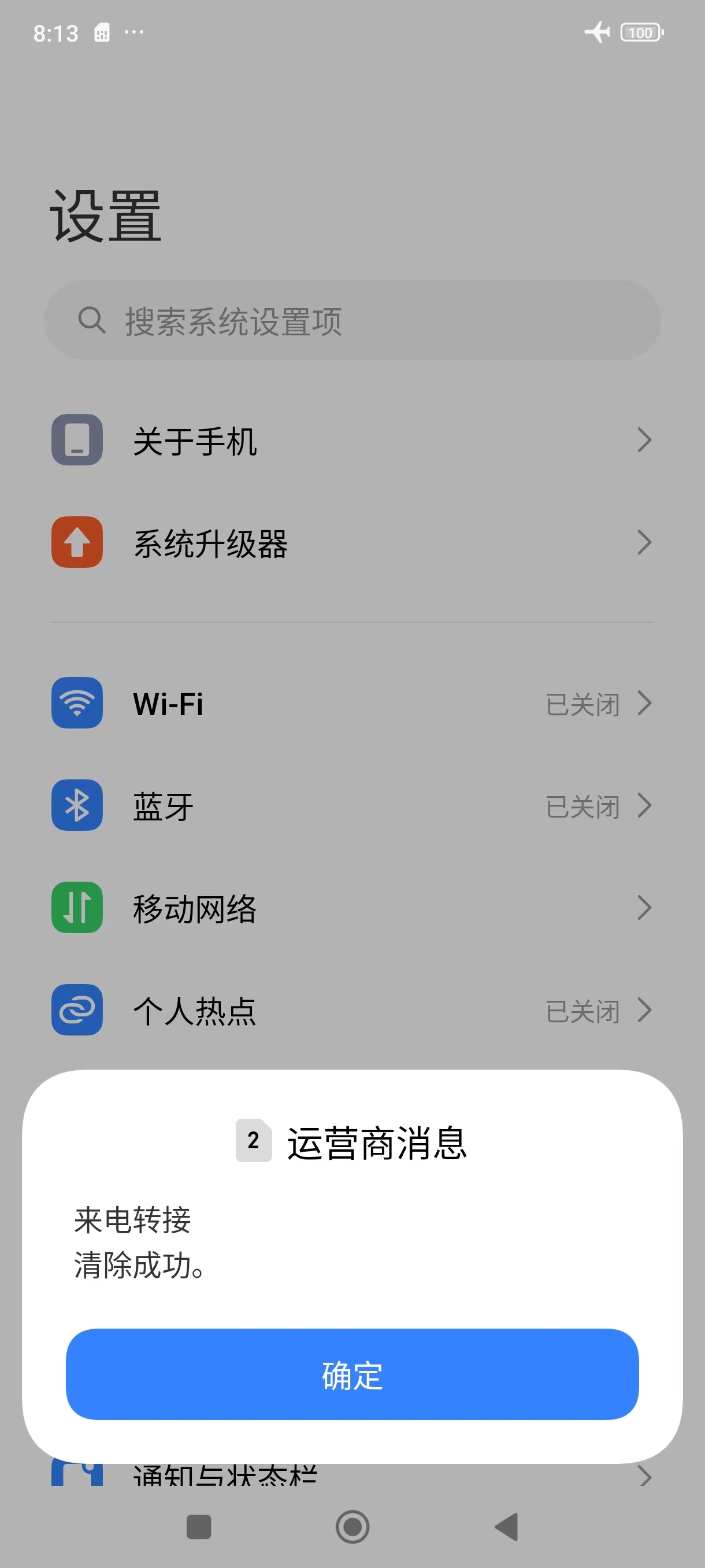
giffgaff has voicemail turned on by default. If you hang up on an incoming call, giffgaff forwards it to voicemail and you are charged. To avoid this, turn off call forwarding by hand once the SIM is activated: type ##002# on the dial pad and press call. The screen below means it worked. It sometimes fails; just try again at another time.
iOS:
Android:

Further points
These only matter if they apply to you.
iPhone users
After inserting the SIM and switching on, do not accept turning on iMessage / FaceTime. If you accept, the system sends a text to the server and you are charged £0.30.
Xiaomi users
Before inserting the SIM, search the system settings for the "free internet messaging" feature and turn it off. Otherwise the system may send a text to the server after the SIM is inserted, and you are charged £0.30.
Common tasks
Finding your phone number
Note
This is free.
Text number to 2020. After a moment you receive a text from the operator containing your phone number.
This also checks that texting works. If no reply arrives, see the related question: Why can't I send texts or make calls?
Checking your credit
Note
This is free.
Type *100# on the dial pad and press call. After a moment your credit appears on the screen, as shown below:

Viewing top-up history
https://www.giffgaff.com/profile/payment-details
Viewing call records and bills
https://www.giffgaff.com/profile/usage-statement
FAQ
Can I choose my number?
The number is assigned at random by the system after the first top-up. Afterwards you can ask for a new random number twice on the official website.
Why can't I get online?
To get online you need to turn on mobile data and data roaming for the giffgaff SIM.
Warning
giffgaff data roaming is very expensive (see the Rates section). Turn the data settings off again as soon as you no longer need them.
Why can't I send texts or make calls?
The local operator may restrict roaming numbers. Try phone Settings > Mobile network > select your giffgaff SIM > Operator, turn off automatic selection and choose China Mobile. After restarting the device you should be able to send texts and make calls.
Related question: Why don't Chinese numbers receive texts sent from giffgaff?
Why don't Chinese numbers receive texts sent from giffgaff?
Of China's three big operators, China Mobile numbers almost never receive texts sent from giffgaff. China Unicom and China Telecom numbers can still receive them for now.
Related question: Why can't I send texts or make calls?
How do I enter my phone number correctly? An app says my phone number is wrong when I sign up
Take the number 7973000186. To call it from inside the UK, add a 0 in front: 07973000186. To call it from outside the UK, drop the 0 and add the international code +44: +44 7973000186.
When signing up for an account, choose +44 as the country code and enter the 10-digit number starting with 7, for example +44 7973000186.
What is the free giffgaff calls and texts service? What happens when it expires? Does it affect keeping the number?
To answer the last question first: it does not affect keeping the number.
Free giffgaff calls and texts is a benefit users get after each top-up. It only applies between giffgaff users who are in the UK. Users outside the UK can ignore it, and nothing happens when it expires