Steps to activate a physical SIM
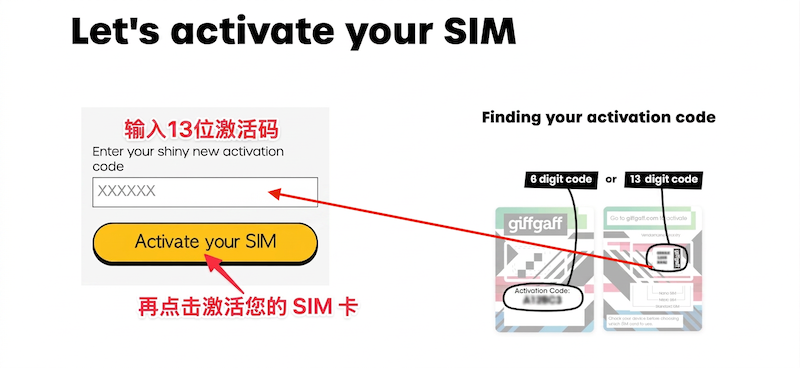
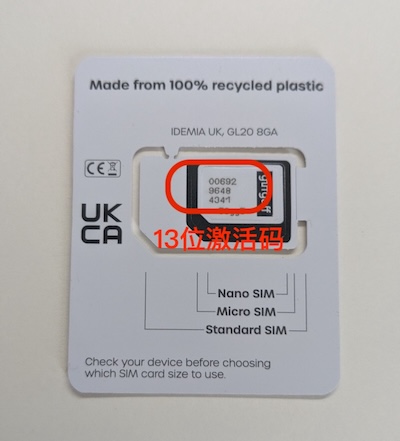
1 Do not insert the SIM yet. Open the giffgaff activation page https://www.giffgaff.com/activate, enter the 13-character activation code on the card and click Activate your SIM.
2 Enter your email address and click Next.

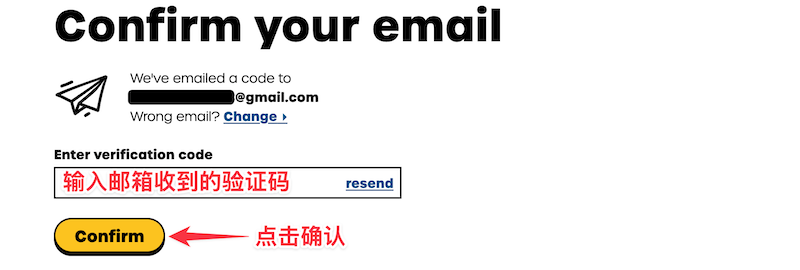
3 Enter the verification code sent to your email and click Confirm.
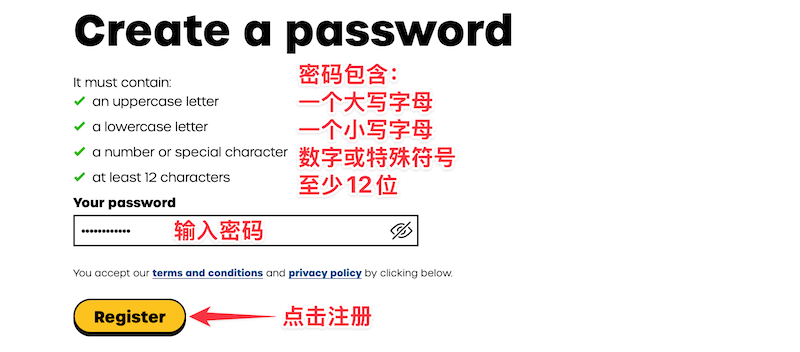
4 Create a password and click Register.
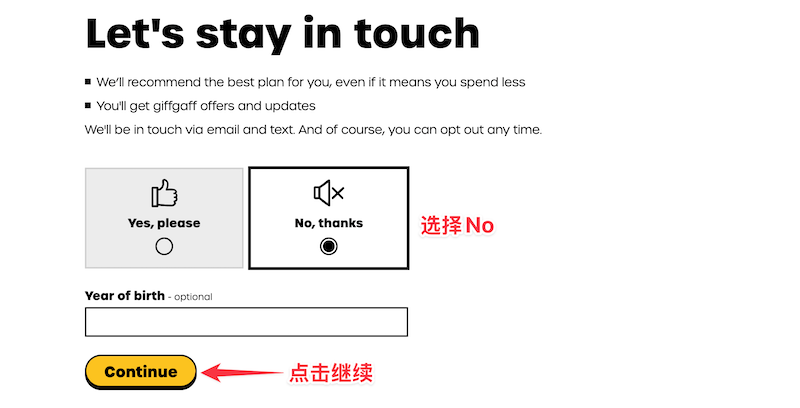
5 Choose No, thanks and click Continue.
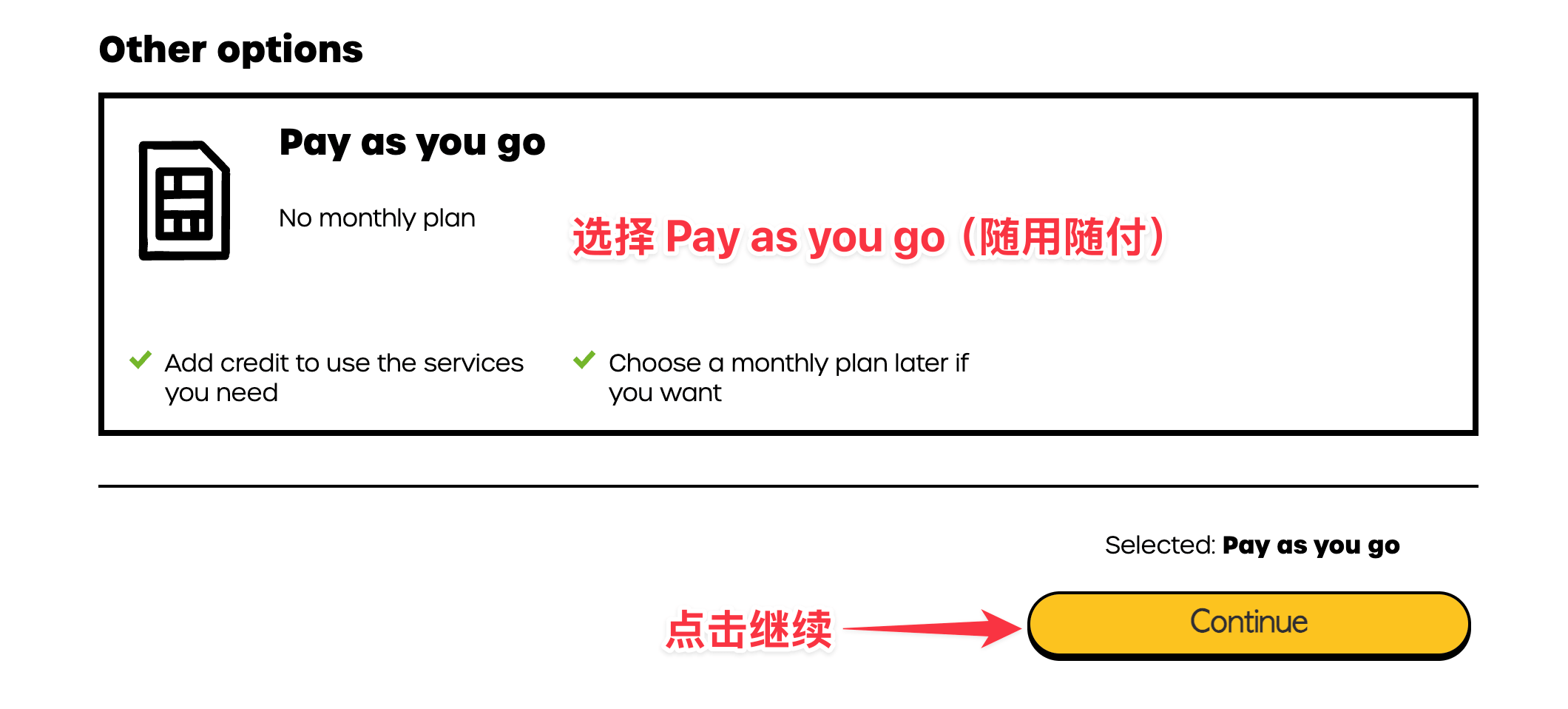
6 Scroll to the very bottom of the page, choose Pay as you go and click Continue.
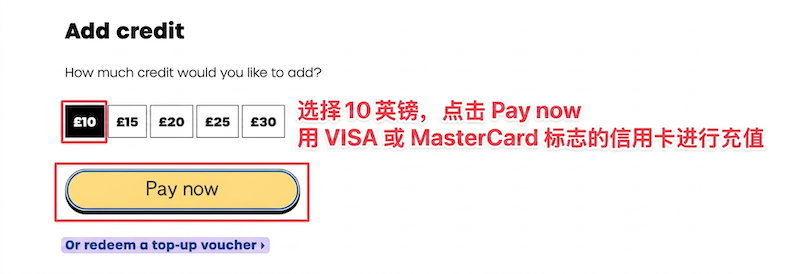
7 Choose £10 and click Pay now to top up with a multi-currency credit card (VISA or MasterCard).
Note: if you have no credit card, buy the top-up service in the shop linked at the top of the page.
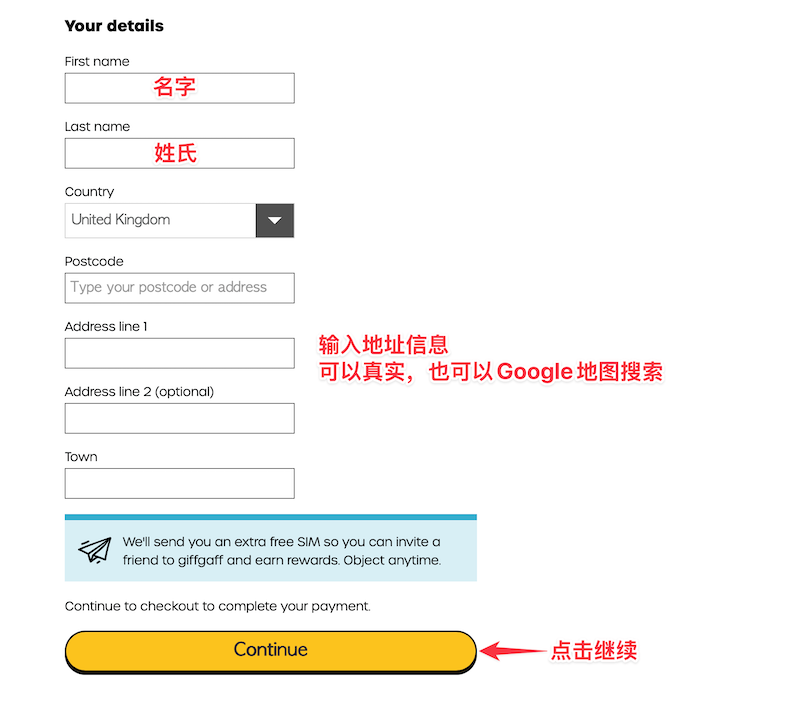
8 Fill in a name and address (use a real-world English name, and look up a real address on Google Maps), then click Continue.
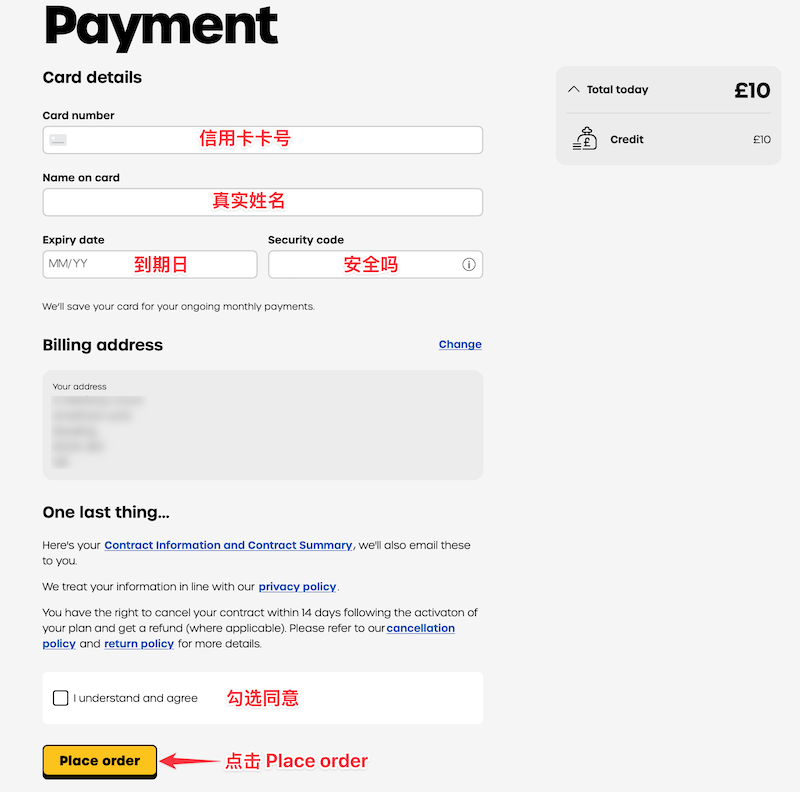
9 Enter your credit card details, tick I understand and agree and click Place order.
Note: if you activate with a top-up voucher, no credit card details are needed.
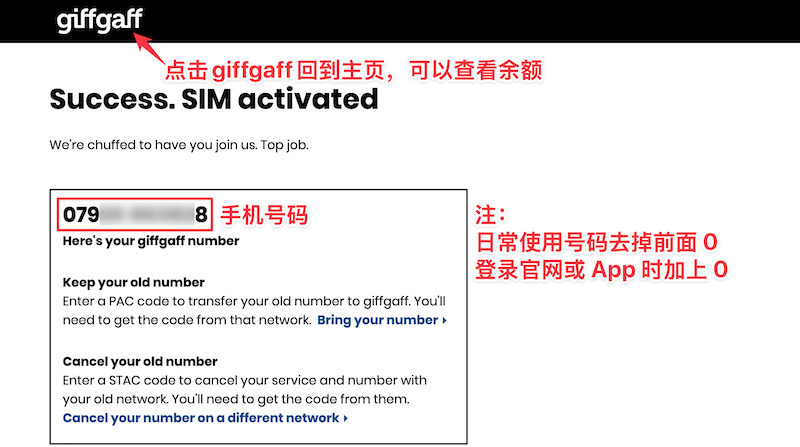
10 The number shown is your phone number (UK country code +44).
✓
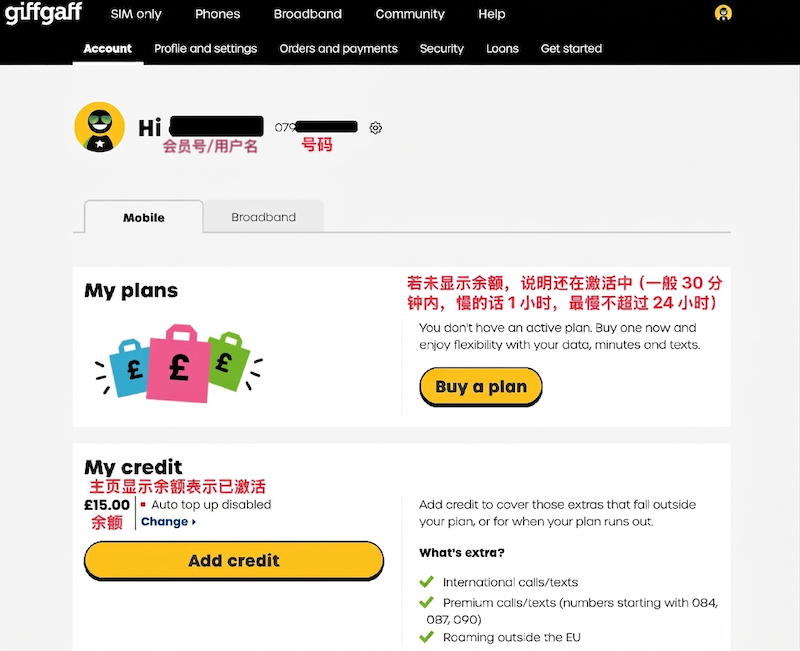
Back on the home page, a balance being shown means the SIM is activated: insert it and wait for a signal. Otherwise it is still activating (usually within 30 minutes, 1 hour if slow, never more than 24 hours).
Note: for everyday use drop the 0 in front of the number, for example +447547xxxx33 (UK country code +44); but when logging in to the website or app, add the 0, for example 07547xxxx33.
A giffgaff SIM works differently from a Chinese SIM in many ways. To help you get started with giffgaff quickly, this article covers:
Roaming rates
Things to watch out for
How to activate
Common functions
Roaming rates in China
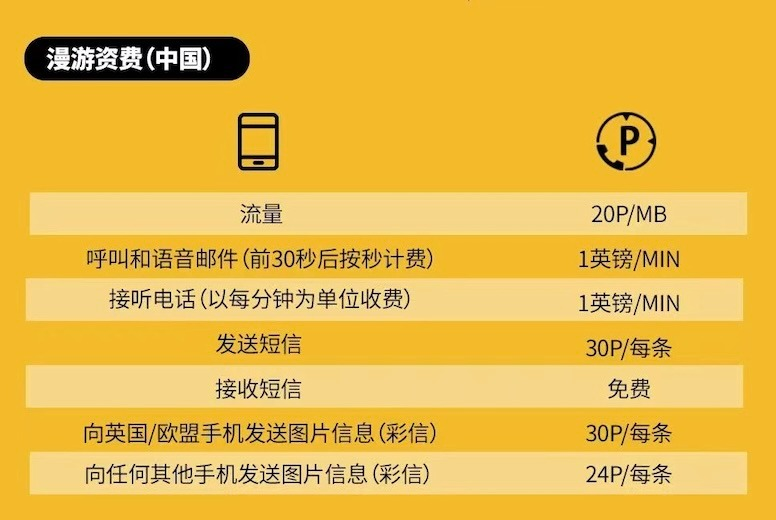
20p means 20 pence; 1 penny = £0.01, so 20 pence = £0.20
Roaming data = £0.20 per MB
Making calls and voicemail = £1 per minute
Receiving calls = £1 per minute
Sending a text = £0.30 each
Receiving texts is free
Things to watch out for
1. All of the following cost money:
Copy
1. Sending texts, making calls and using data; see the rates above.
2. Rejecting any incoming call by hand. giffgaff has voicemail turned on by default, so a rejected call goes to voicemail and is charged. Type ##002# on the dial pad to turn voicemail off.
3. Activating FaceTime and iMessage. If you do not need the FaceTime and iMessage services iOS offers, tap Cancel when the system shows the dialog below; otherwise it counts as sending one text and costs £0.30.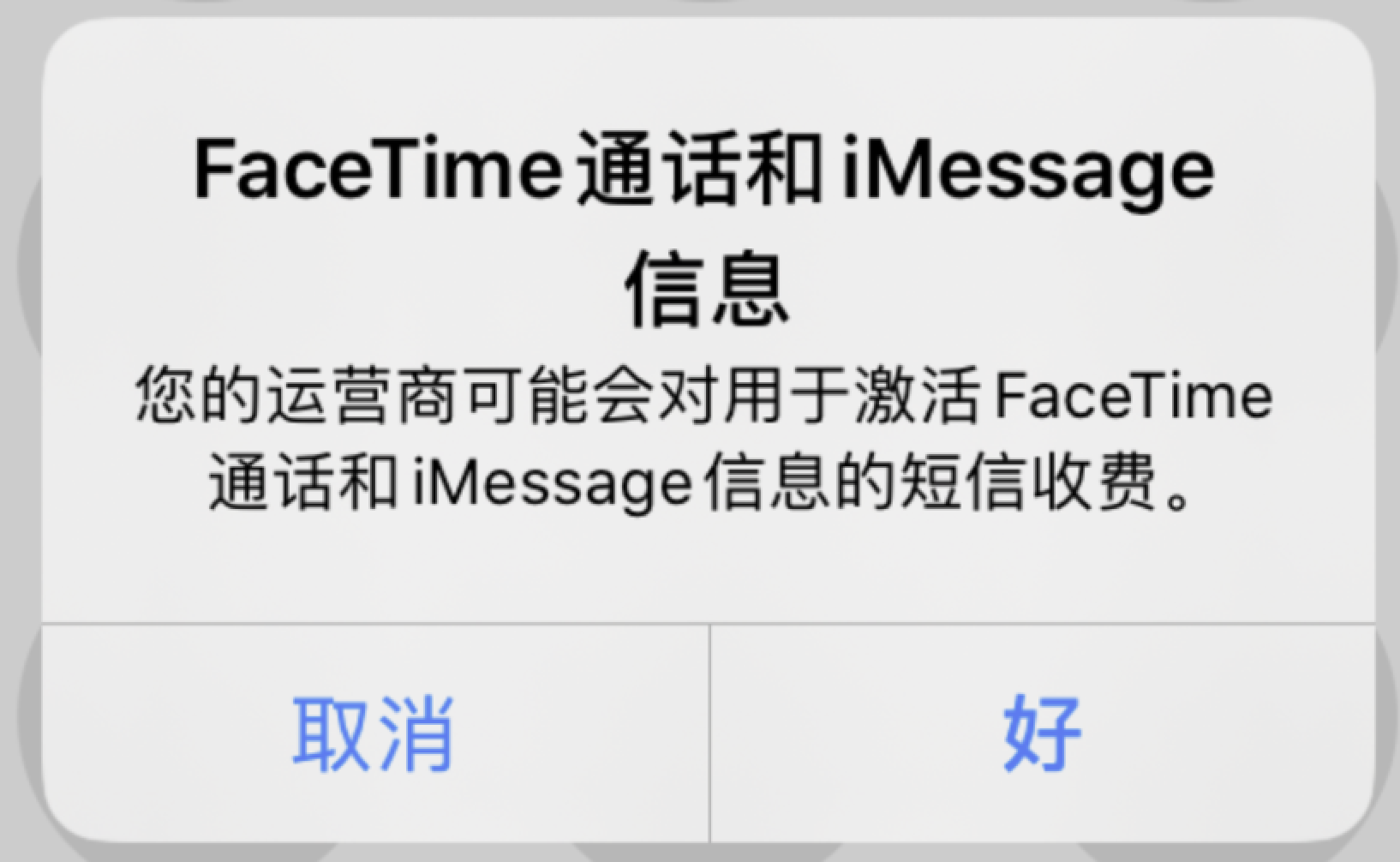
2. An activated SIM needs one purchase or top-up every 180 days to keep the number. If your credit does not change for a long time, you receive the warning email shown below. Follow its instructions; if you ignore it, the number is cancelled:
3. For the first top-up, be sure to use a physical Visa or Mastercard card; credit or debit both work. No other cards are supported, such as Japan's JCB, American Express or any China UnionPay card. A virtual credit card may pass verification and top up successfully, but it is soon locked by risk controls and the credit is taken back, so it is not worth it!
Common functions
Find your SIM's number: text NUMBER to 43430
Check your credit: dial *100#
Turn off voicemail: dial ##002#
Turn on voicemail: dial **61*443*10*20#
Default PIN: 5555
First top-up and activation: https://www.giffgaff.com/activate
Log in to your account / reset password: https://www.giffgaff.com/auth/login
Check credit / SIM number: https://www.giffgaff.com/dashboard
Top up: https://www.giffgaff.com/top-up
Usage and bills: https://www.giffgaff.com/profile/usage-statement
Edit your details: https://www.giffgaff.com/profile/details
Request a PUK code: https://www.giffgaff.com/help/articles/i-blocked-my-sim-what-can-i-do
Request a new number: https://www.giffgaff.com/profile/details/getnumber
Replace the SIM: https://www.giffgaff.com/support/lost/sim