Normally there is no need to replace the SIM. If you have no choice because the card is lost, it has to be replaced.
Where to request one on the official site: https://url.maizimi.com/giffgaff . This is my referral link. If you register on the official site through it and activate later, you get £5; ordering directly on the official site gives no bonus.
First, log in to your giffgaff account. Once logged in, open a new page and go to https://www.giffgaff.com/activate, then enter your new SIM's activation code in the white box
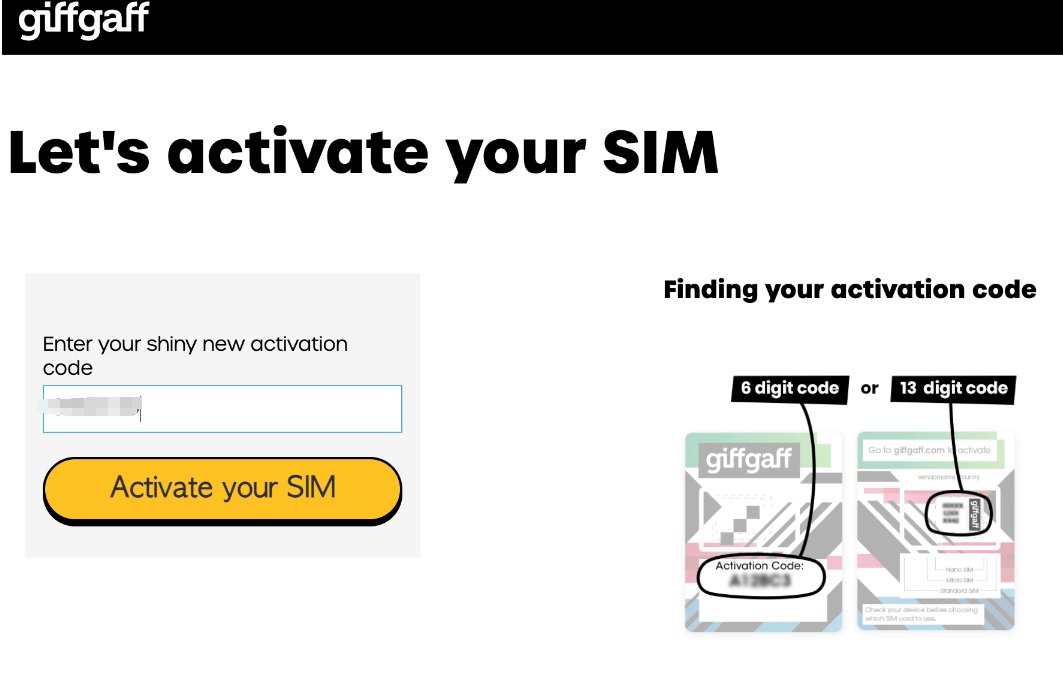
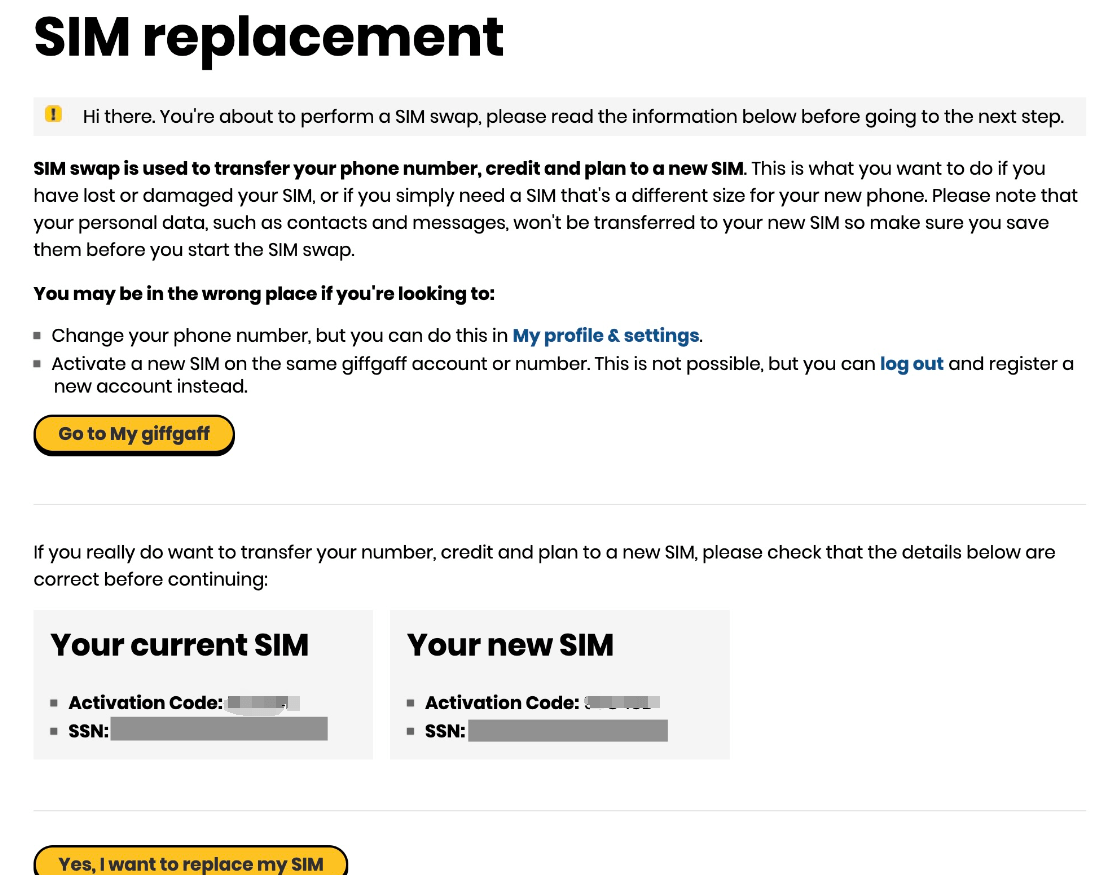
The screen below then appears, listing the activation code and SSN of your old and new SIMs. If they are correct, click the yellow button at the bottom: Yes, I want to replace my SIM
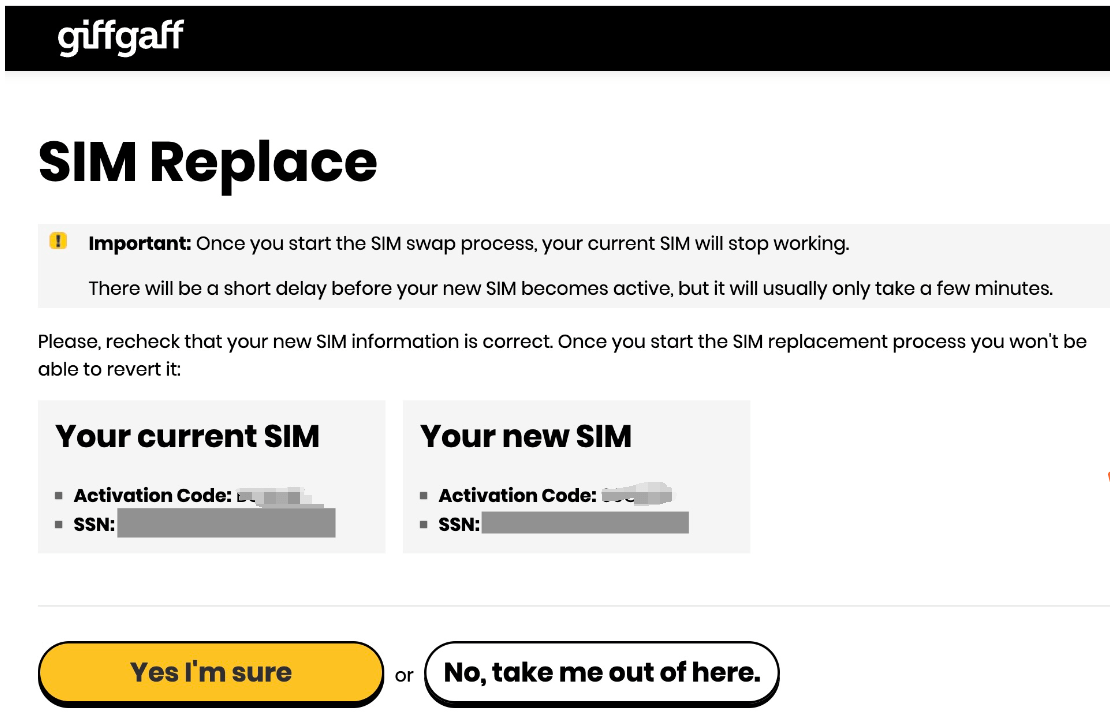
Check the details again, then click the yellow button below: Yes I'm sure
The system has now finished, and tells you in bold black text on a green background that the replacement is done.
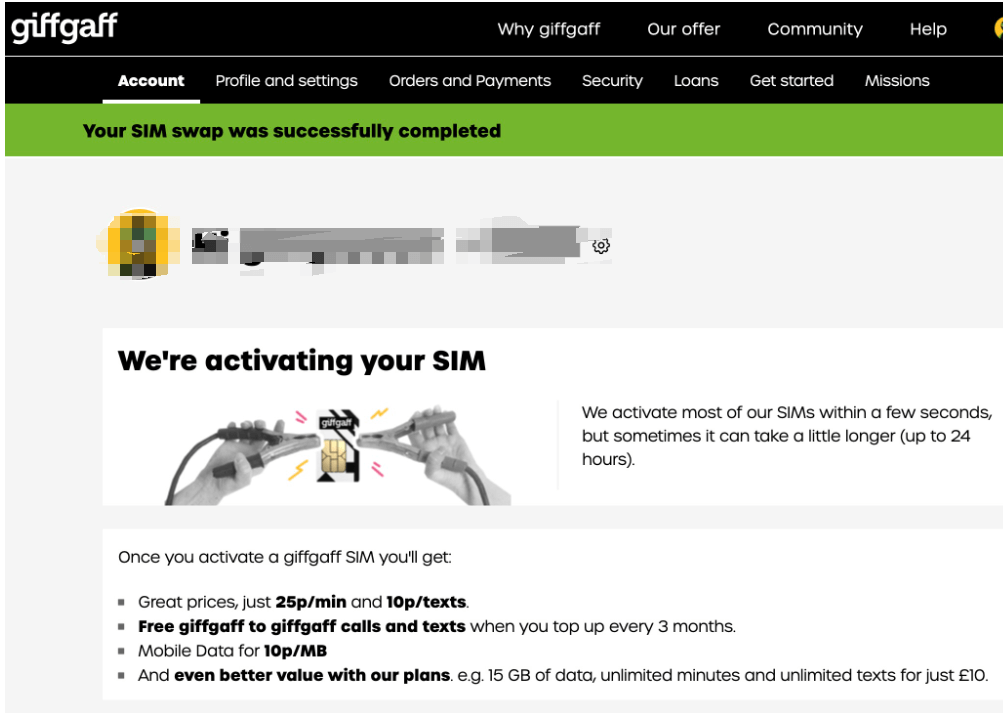
Soon the old SIM receives the last text of its life, saying roughly that your over-the-air SIM swap has started and should take about 1 hour, with a wait of no more than 24 hours, during which neither the old nor the new SIM has a signal. You can now take out the old SIM and put in the new one. The old SIM cannot be used again, so dispose of it properly.
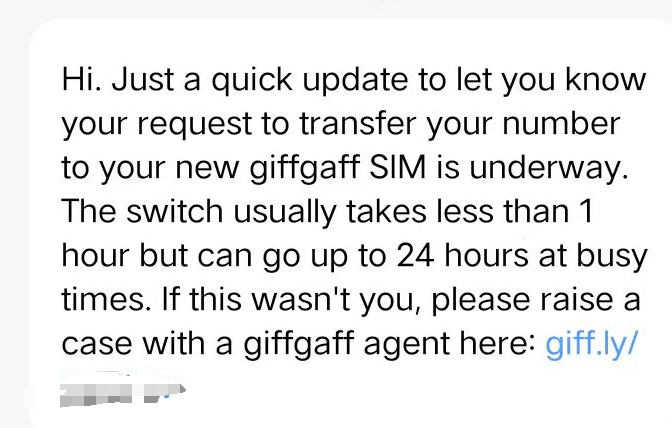
After the steps are done, wait patiently. In about 30 minutes the new SIM gets a signal and receives the official roaming notice text, which means the replacement is complete!