An incomplete guide to switching a giffgaff physical SIM to eSIM

On 11 October 2023 giffgaff's official blog suddenly came alive: the eSIM feature the community had long been talking about was finally announced in a blog post! That same evening many users reported success, but there were also plenty of busy threads from people complaining that they could not switch to eSIM.
After three weeks of hands-on experience, and gathering the problems giffgaff users in China ran into, this summary came together. As the official giffgaff app is updated, the latest news will be added here too.
What you need
A phone with eSIM support. (At least for now, no phone sold in mainland China has it; look up the exact models online, as they are not listed here.)
A giffgaff physical SIM. (If you do not have one yet, click here to buy)
A way to get past the firewall (a VPN).
⚠️ Please note:
The latest fault notice on the giffgaff website says that eSIM on some phones released between 2018 and 2020 has compatibility problems and the switch cannot be completed. A fix awaits an update to the official app; click here to read the official notice.
How to do it
First, download, install and open the giffgaff app (available in both the App Store and Google Play), and make sure it is the latest version. Turn on your VPN (global mode is best) to reduce the effect of a Chinese IP on the steps that follow.
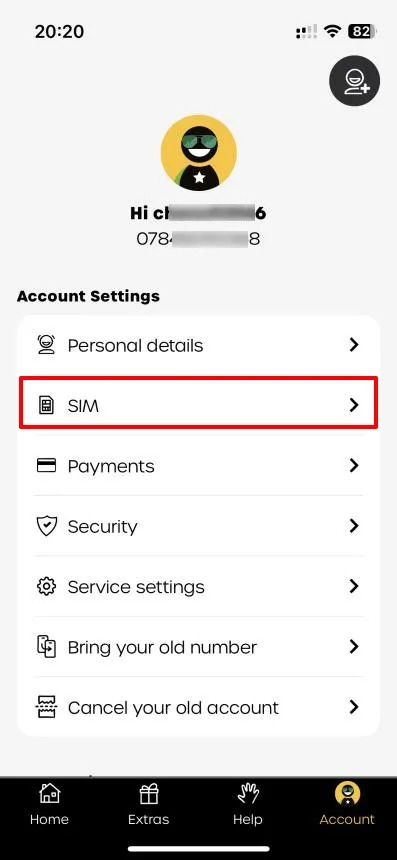
Open the app, tap Account at the bottom right, then tap SIM:
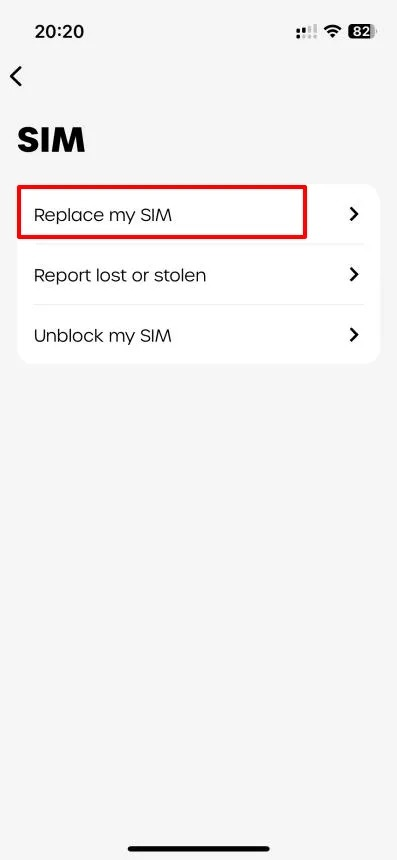
Next tap Replace my SIM:
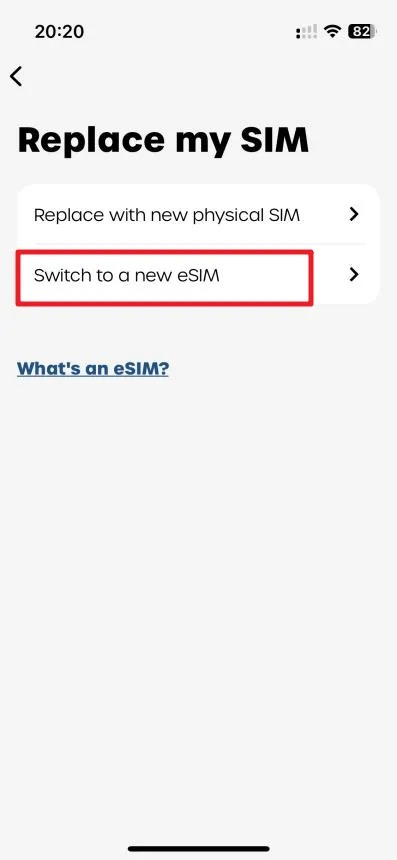
Then tap Switch to a new eSIM. (If you do not see this option, your VPN may not be on, or the app has not been updated to the latest version.)
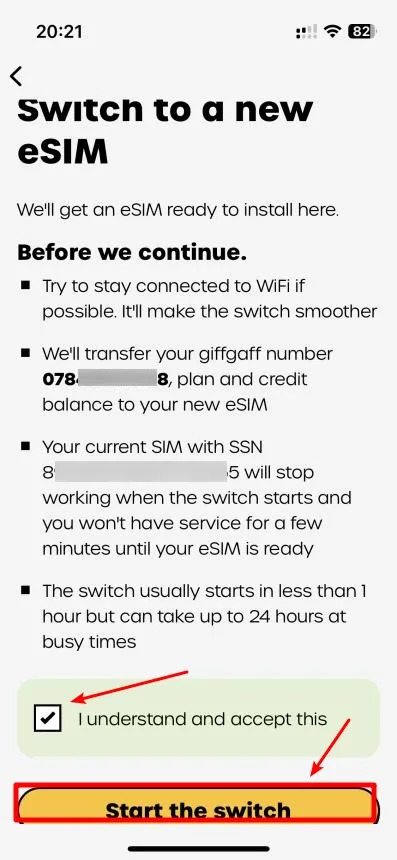
At the agreement step, tap the yellow button to start the switch:
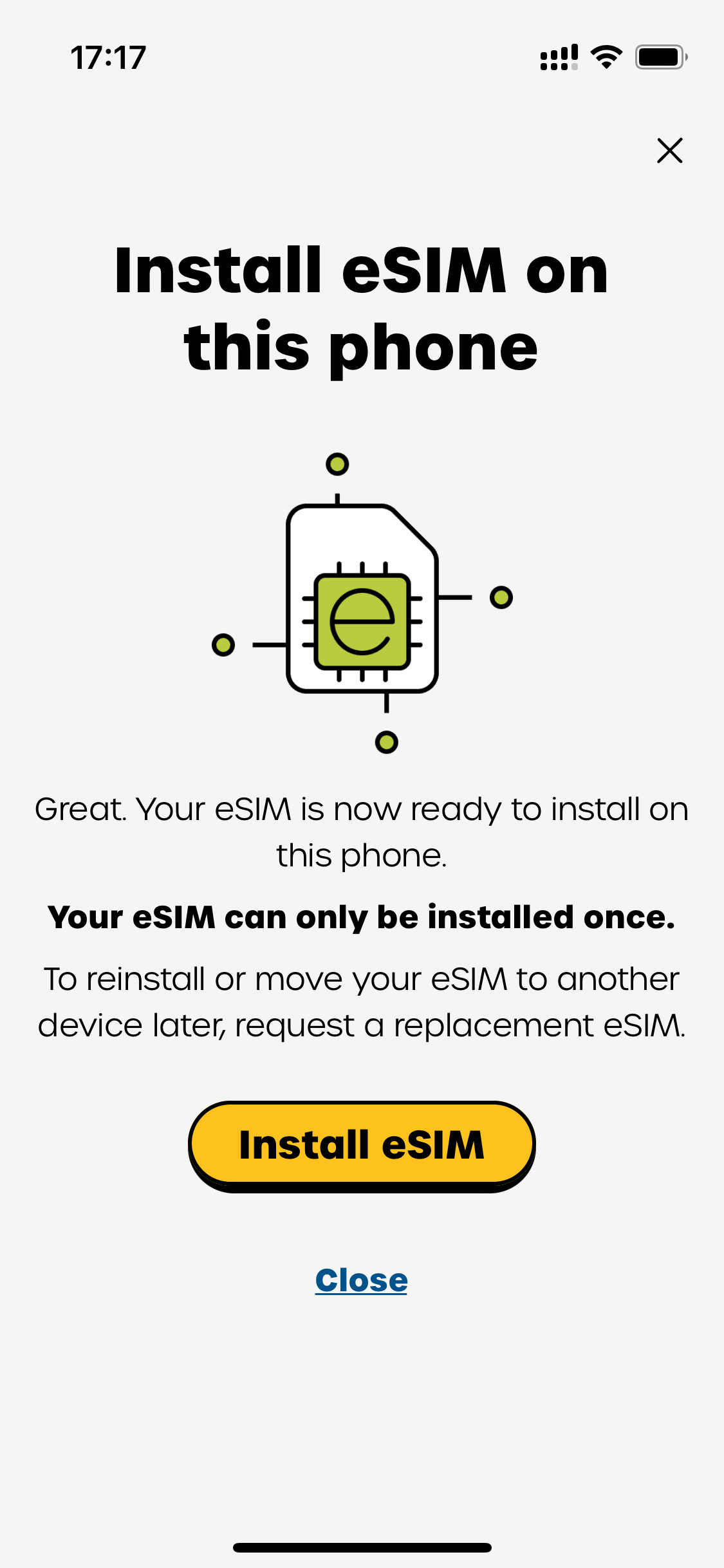
Now confirm and tap Install eSIM:
Common reasons it fails
A few users get stuck at the Install step. Summing up the reports, there are roughly three reasons:
① Unstable network
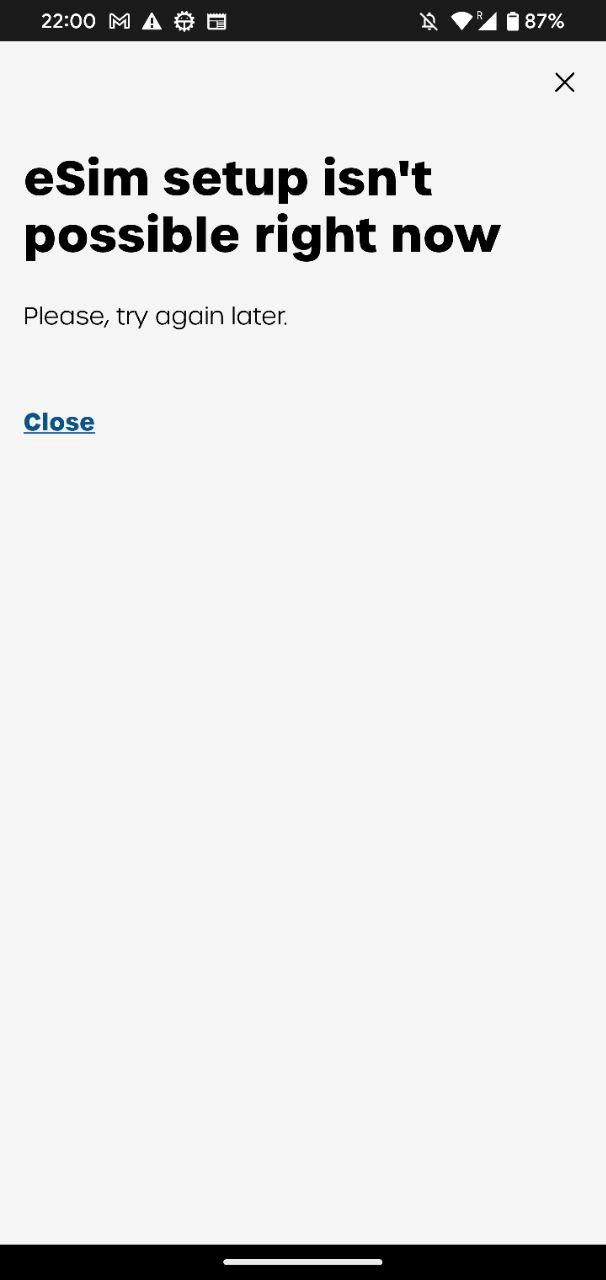
The app says installation failed. Change your network or VPN node and try again at another time.
② Compatibility by model year
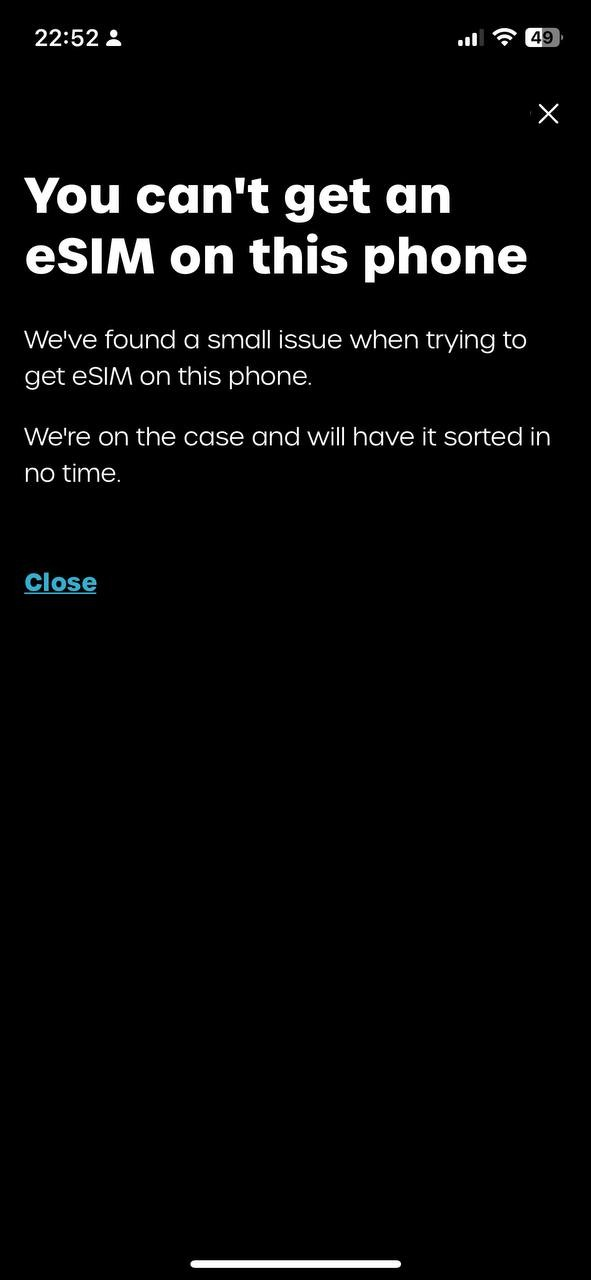
Some phones were made between 2018 and 2020 (for example the Google Pixel 4/4 XL, the Apple iPhone 12 series and the SE2). There is no fix for this error for now; you have to wait for an update to the official giffgaff app.
③ Changes to eSIM service hours
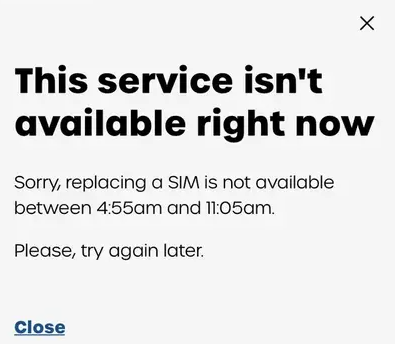
The official eSIM service window is sometimes adjusted for maintenance. If you see the system notice below, just come back at another time.
All done
If all goes well, once the eSIM data has been sent to your phone over the network you reach the screen below. Tap continue:
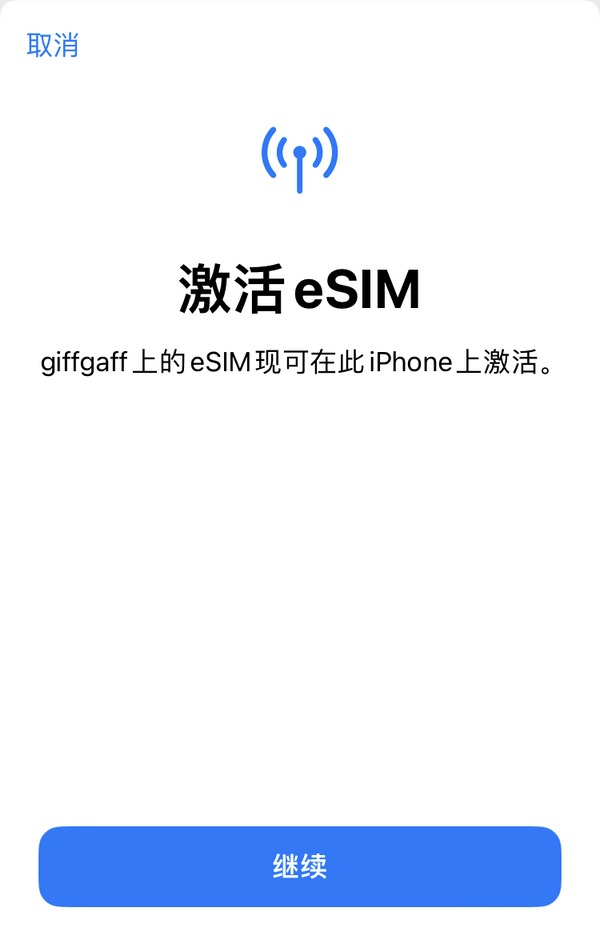
The system says the eSIM has been downloaded and that the signal will be back within 24 hours at the latest (you also get an email when it succeeds).
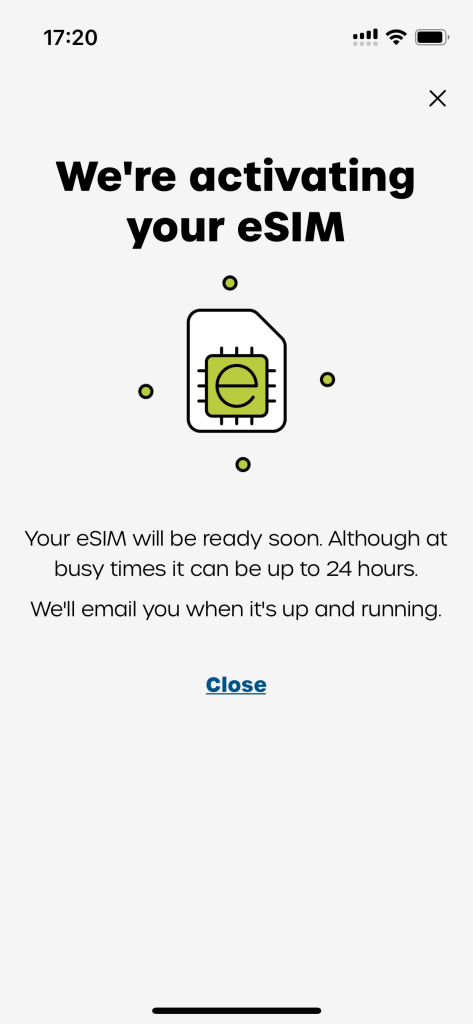
The signal usually returns after about 30 minutes, and your eSIM then works normally! A few users waited 3 hours for the signal, probably because of the local base stations.
That completes the switch from a giffgaff physical SIM to eSIM! 🎉
💡 PS (changing phones):
If you later move to a new phone with eSIM support, download the app on the new phone and repeat the steps above:Account —> SIM —> Replace my SIM —> Switch to a new eSIM —> Start the switch
It is exactly the same as switching from a physical SIM to eSIM. So be sure to remember your phone number and password, so that you can recover and restore the eSIM on the new phone without trouble!