For travel use only. Follow local laws and regulations. Using it for illegal or criminal purposes is forbidden, and you bear the consequences if you do!
1. Activation
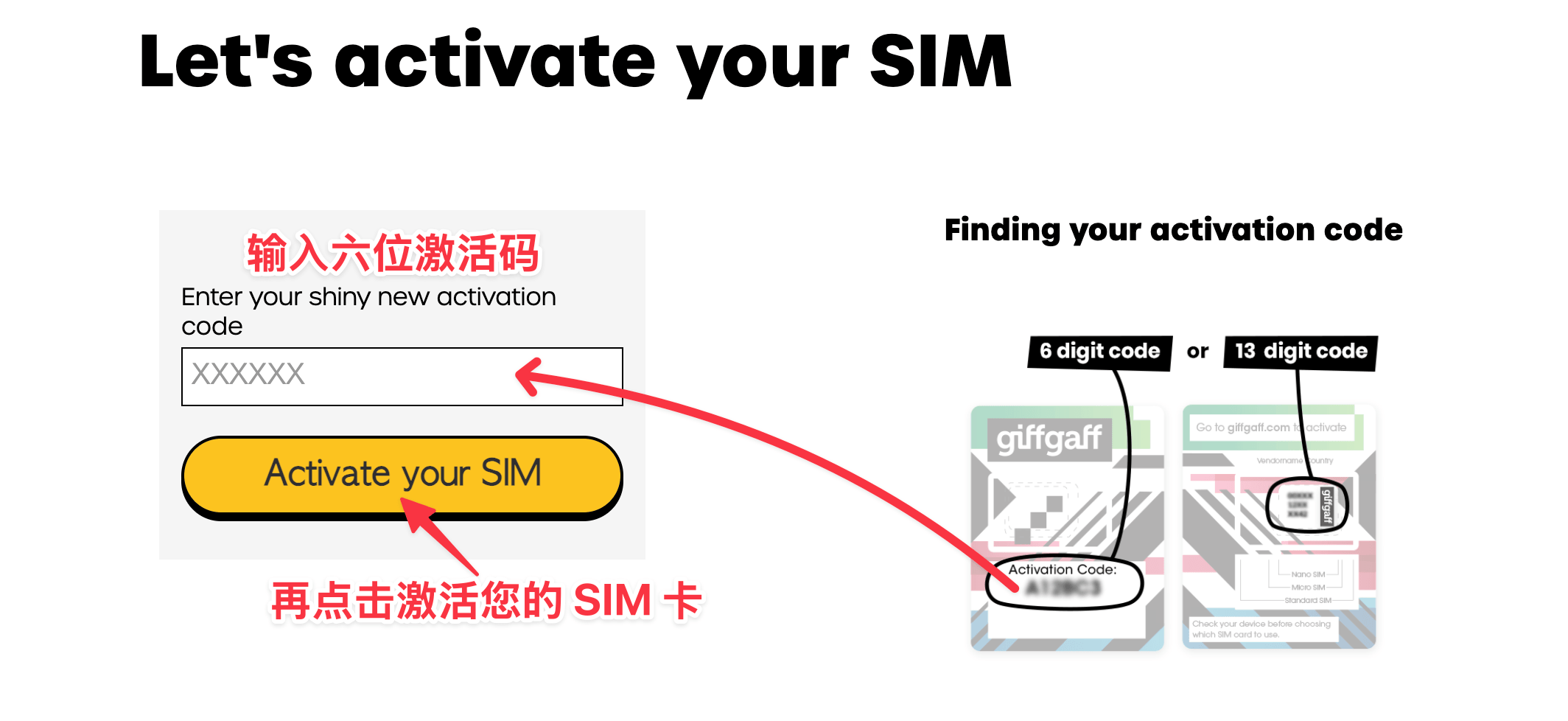
Do not insert the SIM yet. Clear your browser cache and restart it (private mode is recommended), open https://www.giffgaff.com/activate and enter the 6-character activation code on the card, then click Activate your SIM.
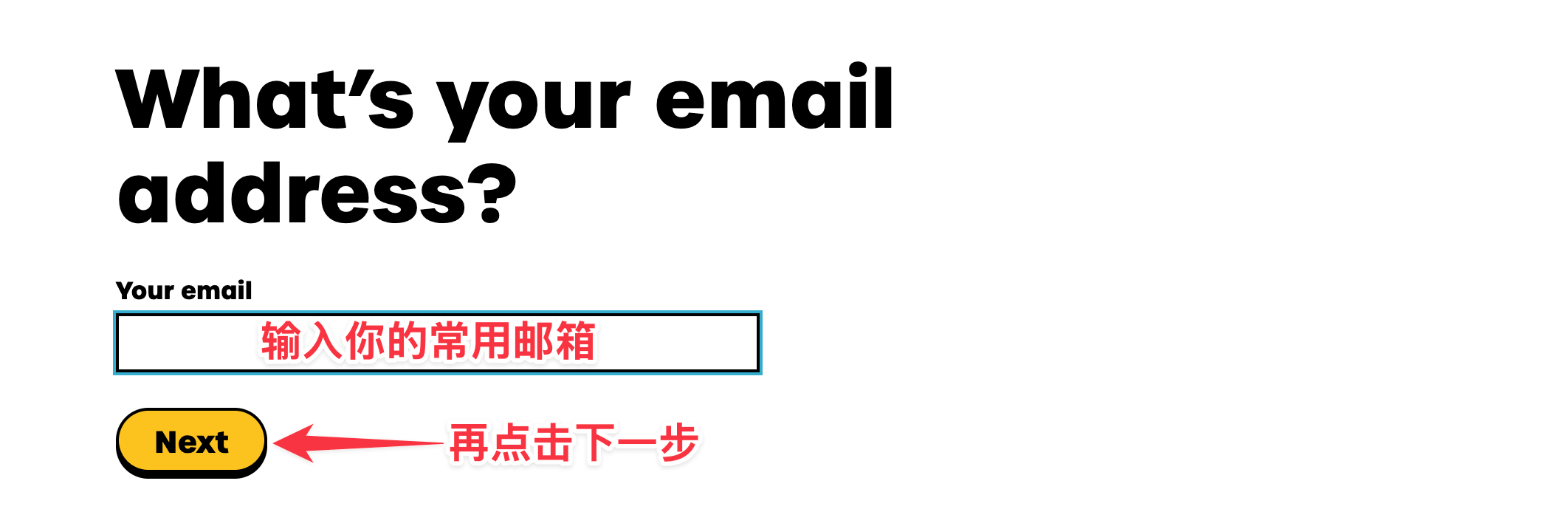
Enter your email address and click Next.
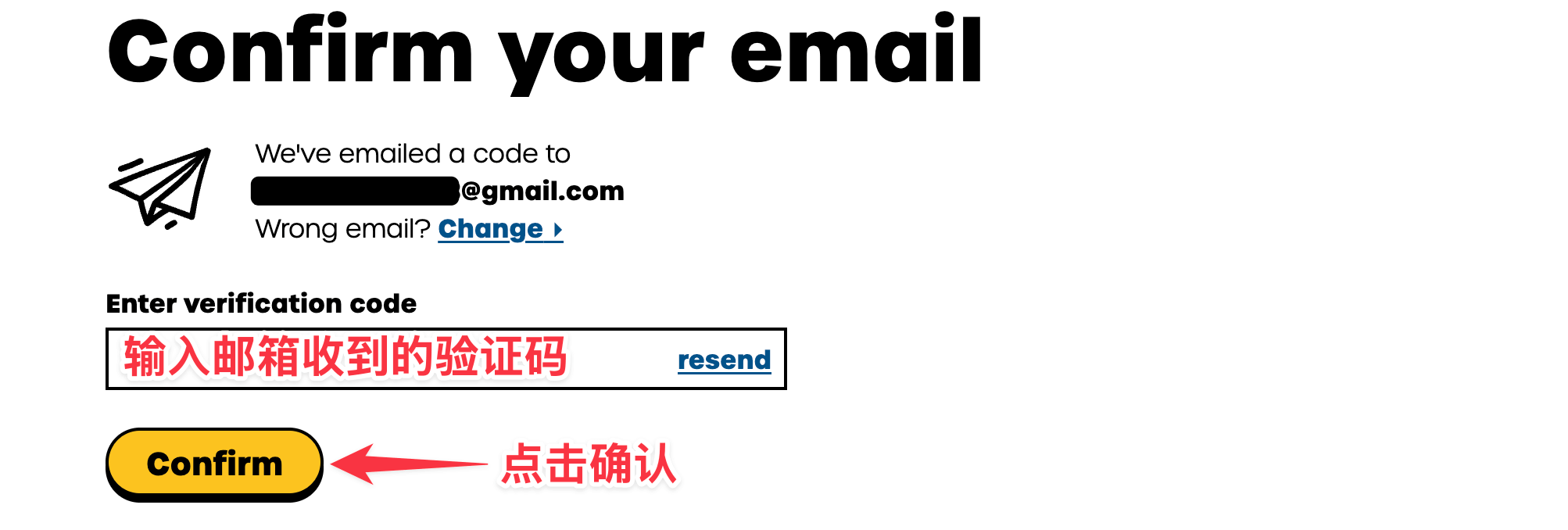
Enter the verification code sent to your email and click Confirm.
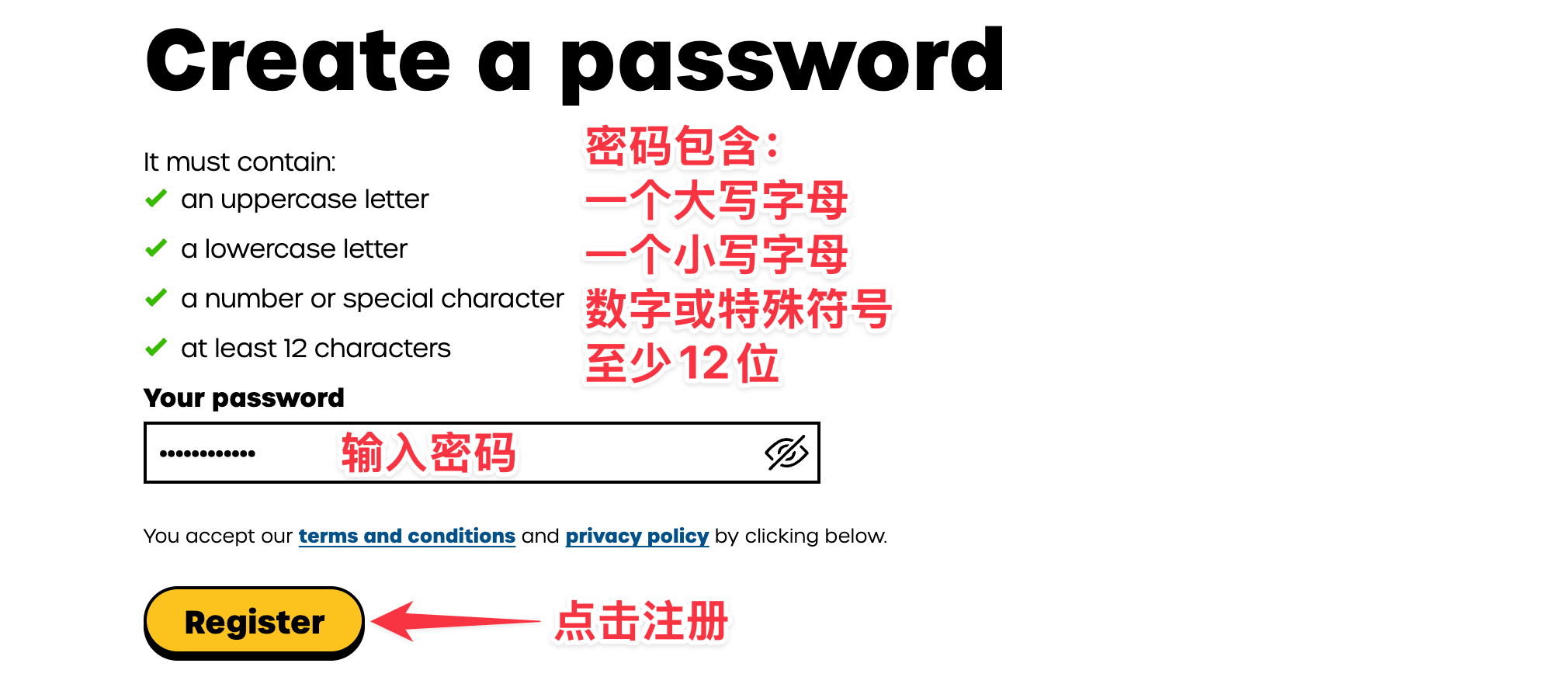
Create a password and click Register.
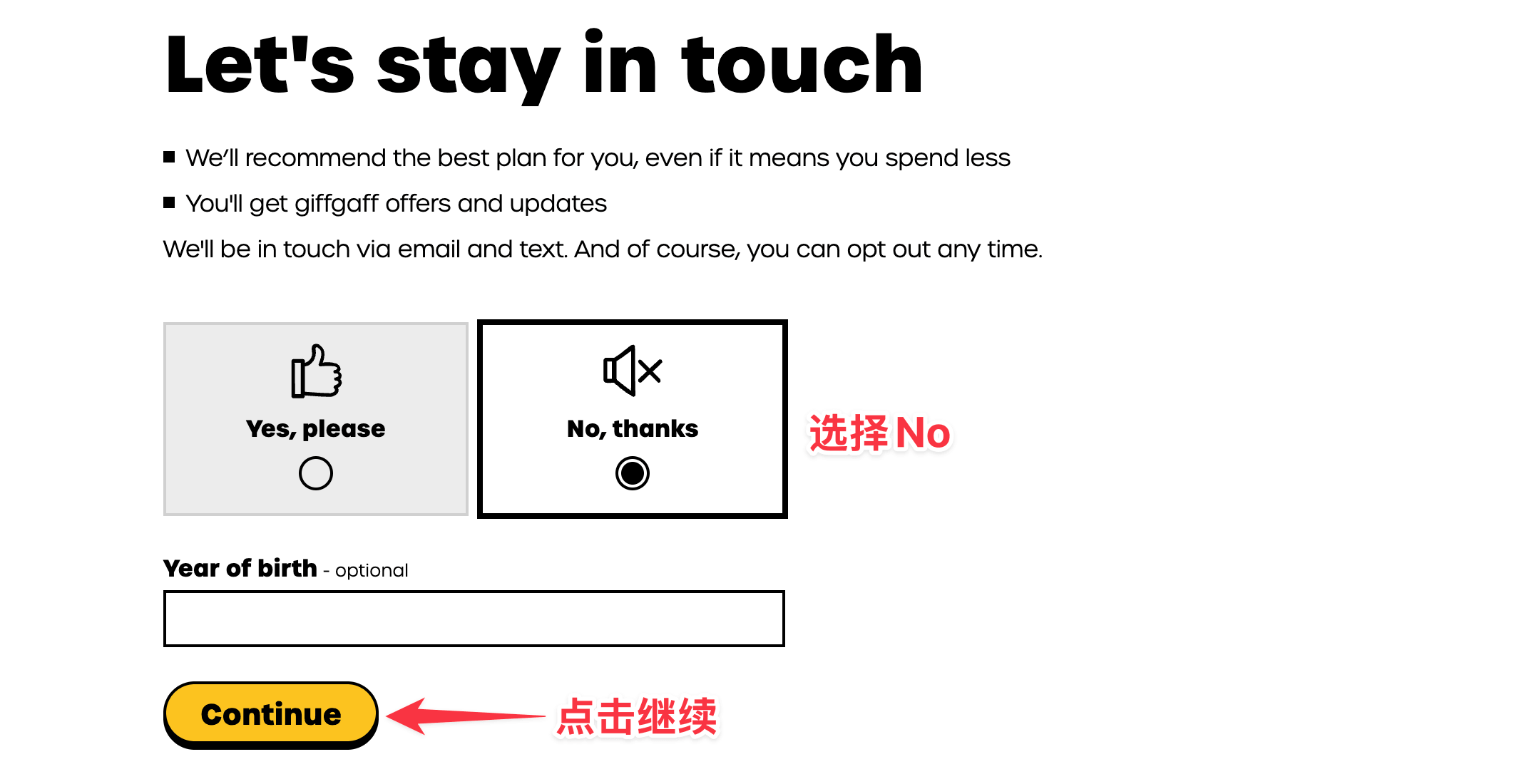
Choose No,thanks and click Continue.
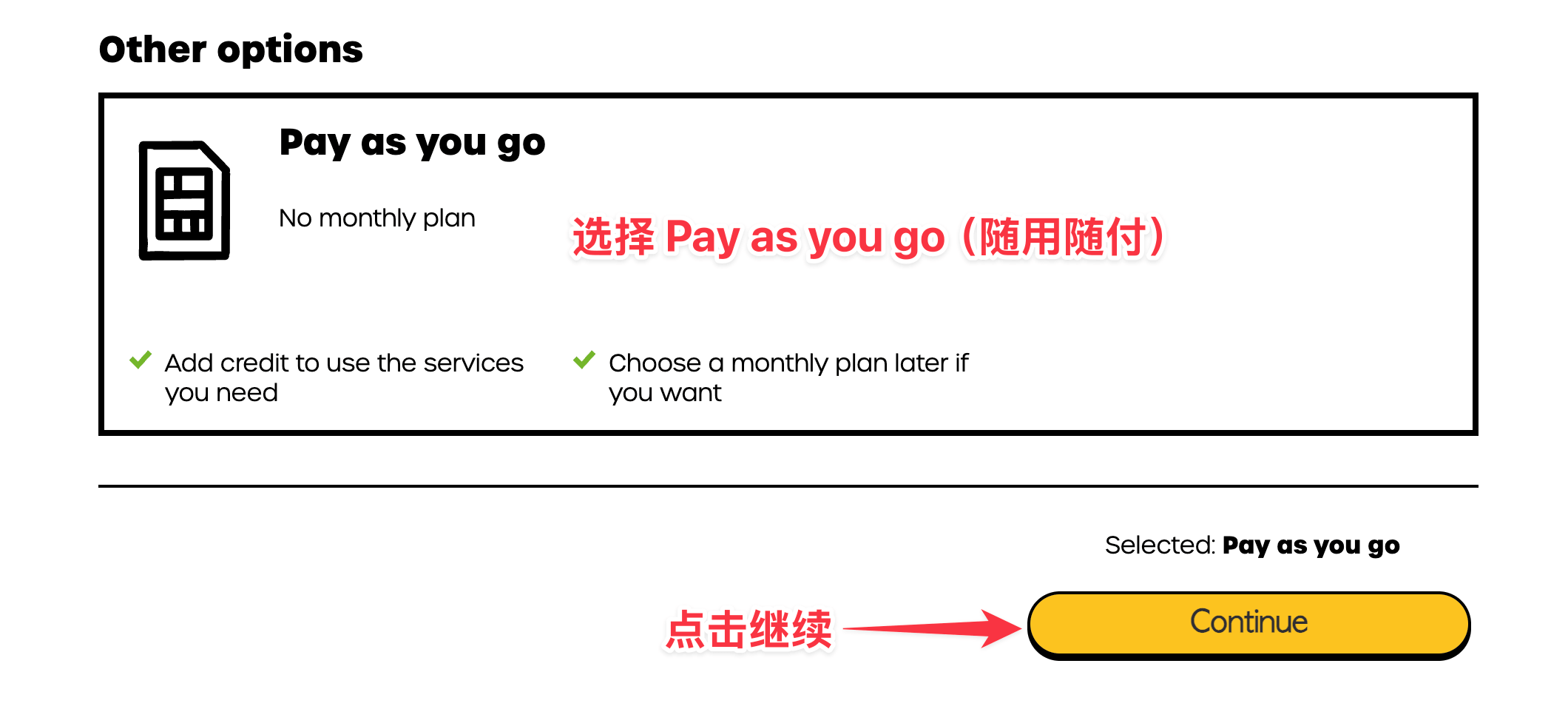
Scroll to the very bottom of the page, choose Pay as you go and click Continue.
Choose £10 and click Pay now to top up with a multi-currency credit card (VISA or MasterCard).
Or click Or redeem a top-up voucher and enter the 16-digit top-up code under Voucher code.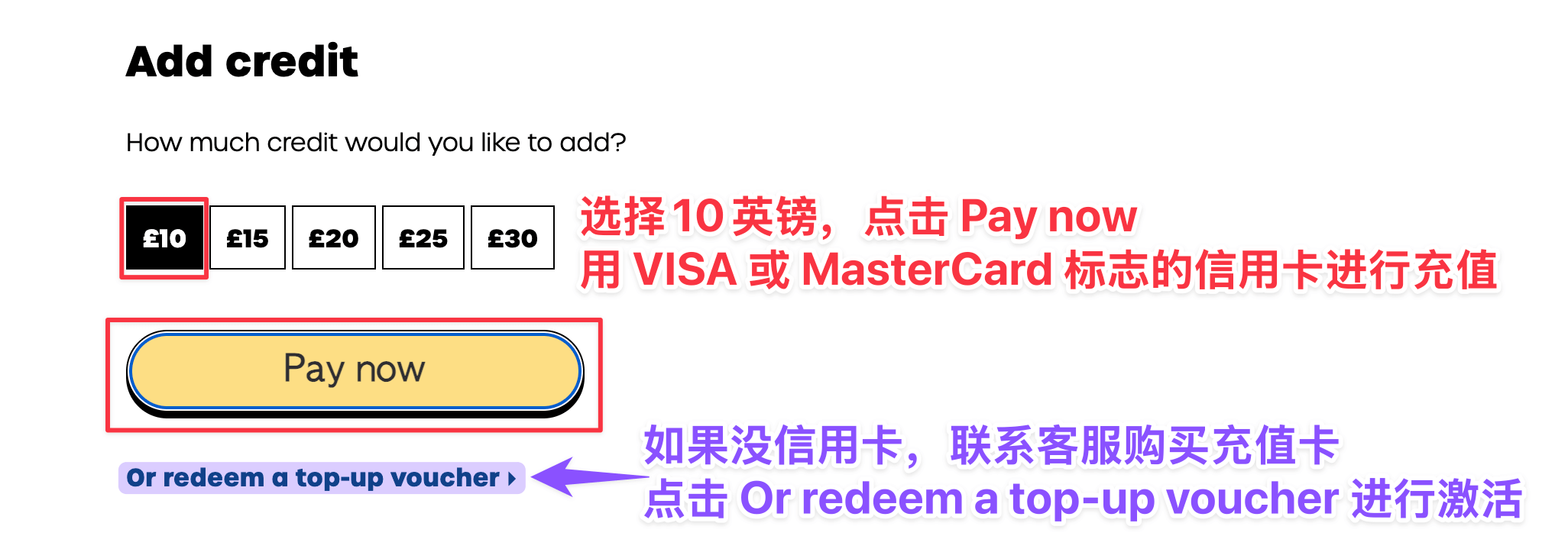
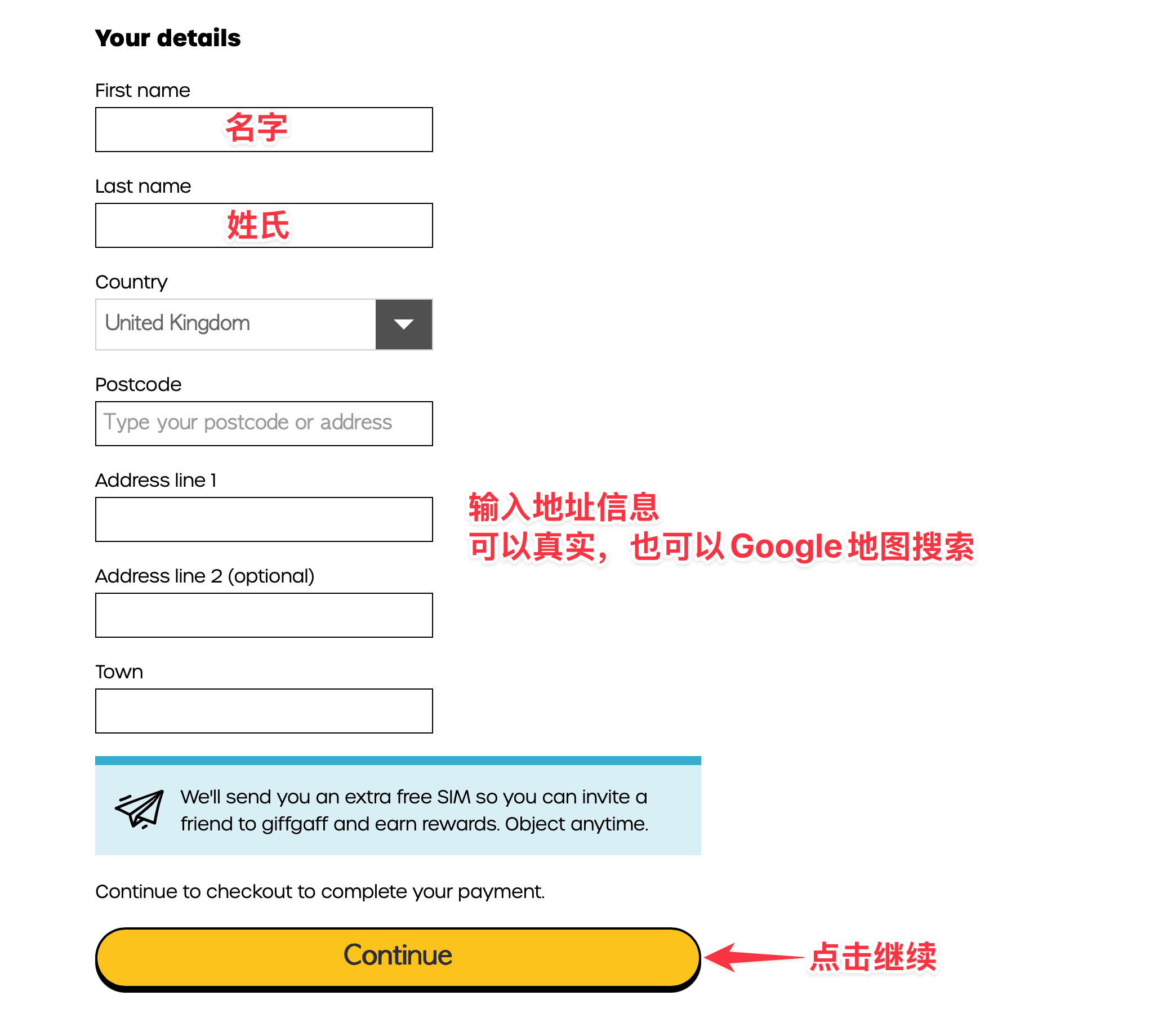
Fill in a name (a real-world English name) and an address (look up a UK address on Google Maps), then click Continue.
Enter your credit card details, tick I understand and agree and click Place order.
Note: if you activate with a top-up voucher, no credit card details are needed.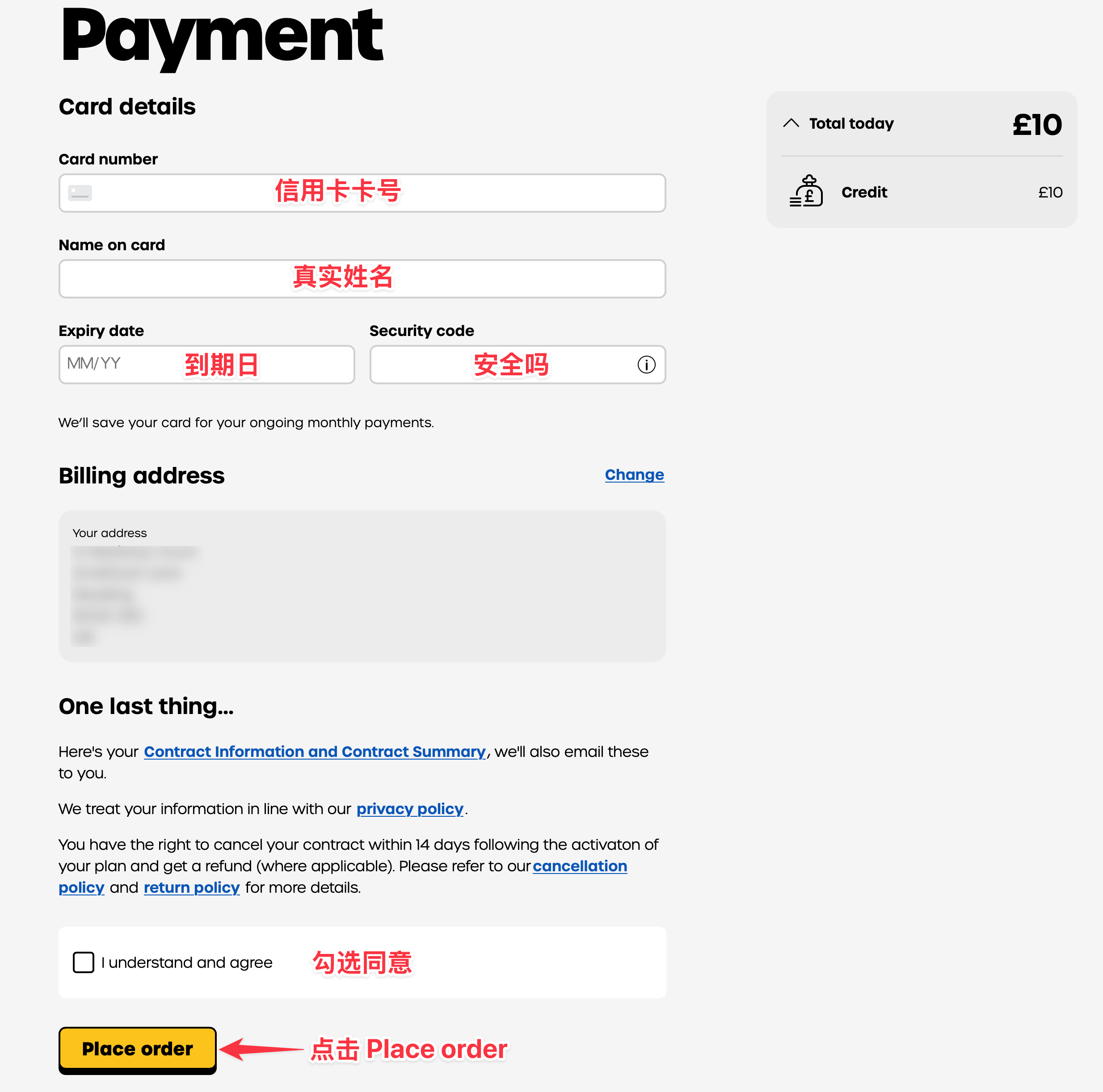
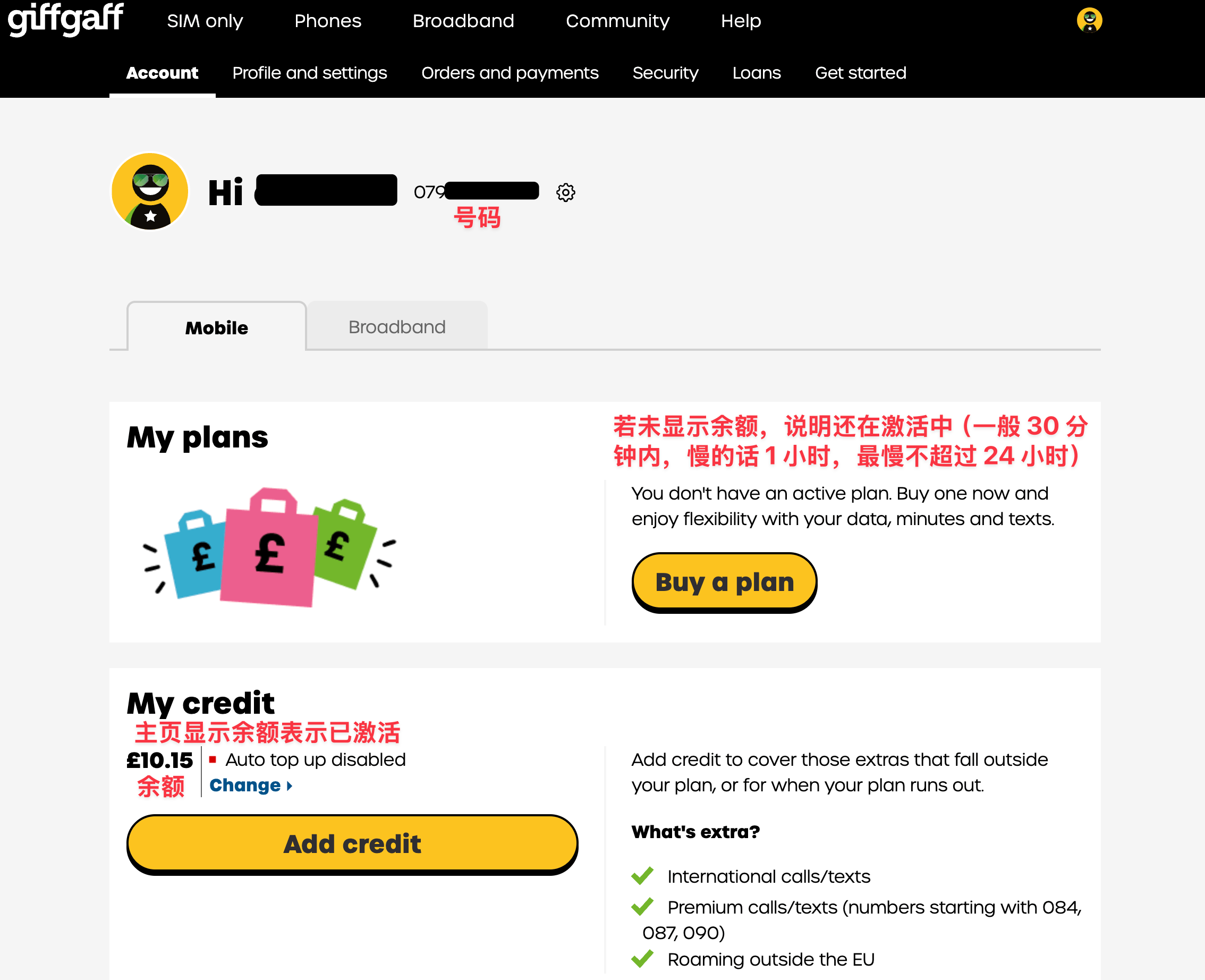
The number shown is your phone number (UK country code +44).
Back on the home page, a balance being shown means the SIM is activated: insert it and wait for a signal. Otherwise it is still activating (usually within 30 minutes, 1 hour if slow, never more than 24 hours).
2. Rates
Cost Monthly fee free Receiving a text free Sending a text £0.30 each Receiving a call £1/minute Making a call £1/minute Data £0.20/MB Data packs £12 for 1GB a month, £24 for 5GB a month, £36 for 10GB a month
Buying a data pack: log in to the giffgaff app on your phone and, under My data at the top of the home screen, choose the country you are in (for example China) to buy.
Rates in other countries and regions: click here
3. Keeping the number
Any change in balance (spending or topping up) within 180 days extends the number by another 180 days. Do any one of the following:
Send a text
Use mobile data once
Make a call (calls to emergency services and the official support line do not count)
Top up once
4. Number format for texts and calls
Rule: ++country code+number. If the other person's UK number is 8888888888, for example:
Texting:
iPhone: 00448888888888
Android: +448888888888
Calling:
iPhone: +448888888888
Android: +448888888888
Note: press and hold 0 on the dial pad to get "+"
🚫 Contacting mainland Chinese +86 numbers is not recommended. Chinese operators usually block calls and texts from abroad by default, and it can trigger anti-fraud controls and get the number suspended.
5. Finding your own number
Text number to 2020. A reply usually arrives within 30 seconds to 2 minutes.
6. Changing your email or password
Change email: https://www.giffgaff.com/auth/change-email
Change password: log out of the website, click Forgot your password? and enter your phone number to reset it (with the leading 0)
7. Not receiving texts
Make sure there is a signal. If you receive official texts (for example the code when logging in to the website), the number is working normally.
If a platform's sign-up text does not arrive, the cause is usually the proxy IP or VPN; switch to a cleaner IP.
8. Changing the number
If you are not happy with the number assigned to you (or it has been used before), you can change it. The new one is assigned at random too.
Open https://www.giffgaff.com/profile/details/getnumber and click Get a new giffgaff number;
Enter your password, then click Change my number;
You are taken to the profile and settings page; wait for the new number to appear.
Notes:
The number cannot be changed between 5:30 am and 1:00 pm China time;
The new number and balance can take up to 4 hours to show in the account;
Stay on Wi-Fi throughout;
Each account can change its number twice; the second change has to wait 24 hours.
9. Calls fail with "restrictions are set"
In the phone's settings, turn off automatic operator selection and choose China Mobile by hand.
10. Checking the balance
Log in at https://www.giffgaff.com or check in the app
11. Topping up
Log in at https://www.giffgaff.com and click Add credit
Choose the amount and payment method, click Continue and follow the prompts
12. Switching to eSIM
What you need
A phone that supports eSIM, such as an iPhone sold outside mainland China;
The giffgaff app installed, connected to Wi-Fi;
When to do it: 12:30 pm to 4:30 am the next day, Beijing time.
Steps
Log in to the app and tap Account > SIM > Replace my SIM > Switch to a new eSIM;
Tick I understand and accept this > tap Start the switch;
Enter the code received by text and tap Confirm;
Tick I understand and accept this and tap Start the switch;
Tap Install eSIM. A prompt to activate the eSIM appears; tap Activate, then Continue;
For the plan choose Voice & Data, tap Continue, tap Done, then tap Close;
Open the phone's Settings, Mobile Service, and under the SIM turn on Turn On This Line, then wait for a signal. Activation usually finishes within 1 hour (never more than 24 hours).
Note: these steps may change; the official site is the reference.
13. Switching from eSIM to a physical SIM
When to do it: 12:30 pm to 4:30 am the next day, Beijing time.
Order an unactivated SIM [here];
On the web, open the official site and go to profile and settings, find Replace my SIM and click Activate your SIM;
Enter the 6-character activation code on the new card;
Click Yes, I want to replace my SIM;
Then click Yes I'm sure, and wait. It takes less than 1 hour, 24 hours at most.
Official explanation: click here
14. Wi-Fi Calling
With Wi-Fi Calling turned on, rates are cheaper: texts cost £0.08 each and calls £0.03 a minute.
Route all traffic through a UK IP;
iPhone Settings → Apps → Phone → turn on Wi-Fi Calling;
iPhone Settings → Mobile Service → tap your number → Voice & Data → choose 4G or 5G.
Note: the official explanation (with a video demo): click here
15. Other questions
Top up: https://www.giffgaff.com/top-up
Usage and bills: https://www.giffgaff.com/profile/usage-statement
eSIM questions: https://help.giffgaff.com/en/collections/626993-esim
Move to a blank SIM: https://www.giffgaff.com/profile/details#simswap