eSIM
What you need
- A phone that supports eSIM, such as an unlocked iPhone sold outside mainland China;
- The giffgaff app installed on the phone, connected to Wi-Fi;
- When to do it: 12:30 pm to 4:30 am the next day, Beijing time.
Steps
- Log in to the app and tap Account > SIM > Replace my SIM > Switch to a new eSIM;
- You will see a notice; keep a stable Wi-Fi connection;
- Tick I understand and accept this > tap Start the switch;
- Enter the code received by text (or choose to have the code sent to your email) and tap Confirm;
- Tap Install eSIM and follow the prompts until We're activating your eSIM appears;
- Activation usually finishes within 1 hour (24 hours at most). Open the app now and then to check. When it is done, the physical SIM loses service automatically (it is void).
Note: giffgaff may update these steps from time to time; the official site is the reference.
Switching from eSIM back to a physical SIM
When to do it: 12:30 pm to 4:30 am the next day, Beijing time.
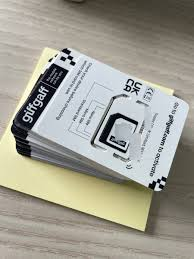
- Order an unactivated SIM here;
- On the web, open the official site and go to profile and settings, find Replace my SIM and click Activate your SIM;
- Enter the 6-character activation code on the new card;
- Click Yes, I want to replace my SIM;
- Then click Yes I'm sure and wait. It takes less than 1 hour, 24 hours at most.
Official explanation: click here